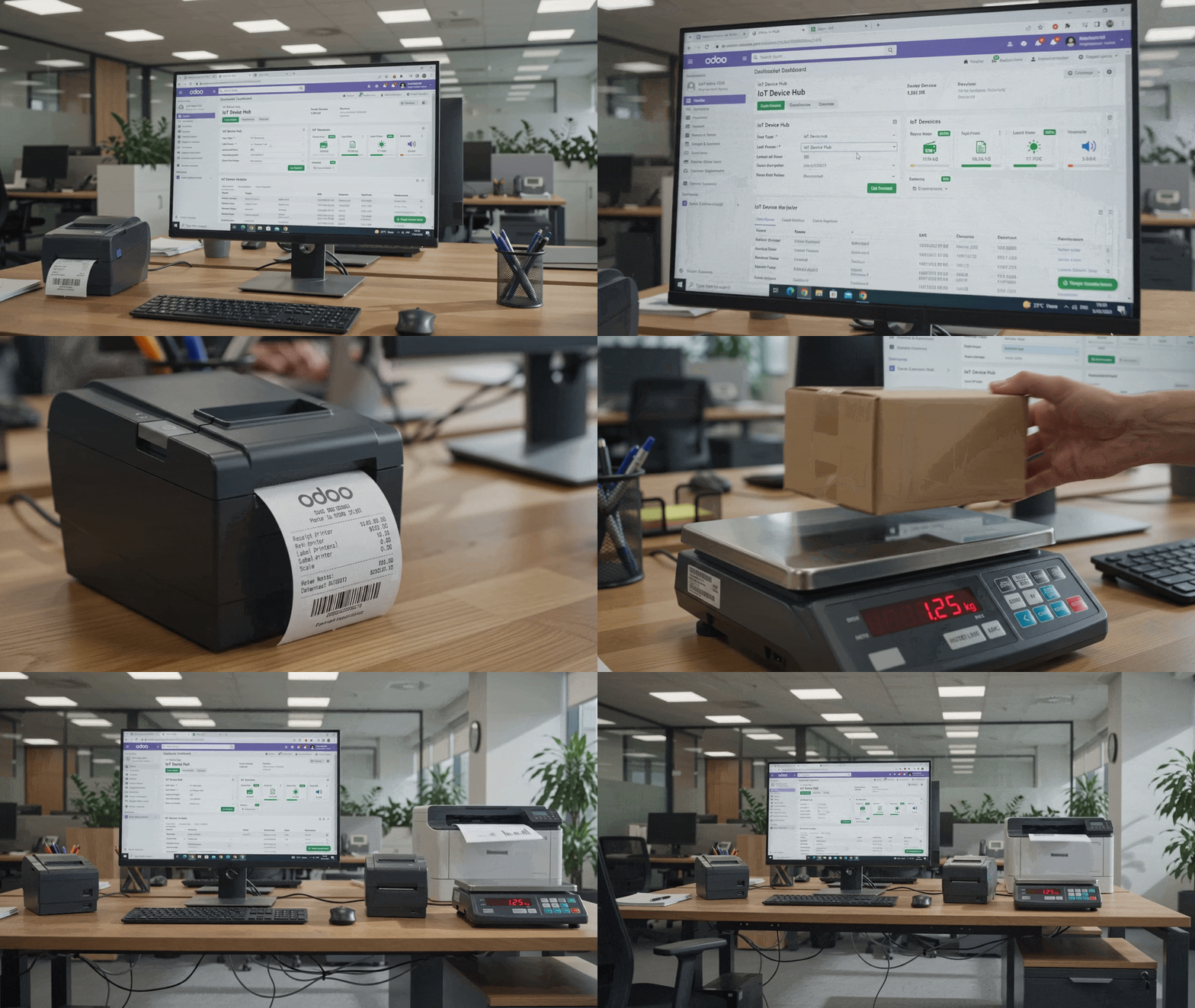
iot_virtual Virtual IoT Box Proxy & Hardware Hub
Documentación Completa del Módulo
Zero Monthly Fees
Eliminate expensive proprietary hardware subscriptions.
A4 & ZPL Label Printers
Silent background printing for Barcodes, Invoices & Pickings.
Digital Scale Sync
Real-time weight reading in Inventory, Shipping & POS.
Universal System Hub
Connects all Odoo modules to local hardware seamlessly.
Complete IoT Integration Across All Odoo Applications
High-availability hardware proxy designed for Warehouses, Logistics, Invoicing, Manufacturing & Point of Sale.
Inventory & Barcode Label Printing
Direct promptless printing of ZPL / TSPL product barcode labels, shipping labels, and picking slips from Odoo Inventory, Barcode, and Delivery orders without browser print popups.
A4 Invoicing & Office Document Auto-Print
Attach PDF report actions (Invoices, Credit Notes, Work Orders, Purchase Orders) directly to network office printers. The moment an invoice or order is confirmed, it prints automatically.
Digital Scale Telemetry (Inventory & POS)
Stream continuous weight readings directly from RS-232 / USB digital scales to Odoo Inventory packing stations, deli counters, and Point of Sale checkout screens in real time.
POS Kitchen & Receipt Dispatch
Route waiter orders to kitchen and bar printers simultaneously while synchronizing card payment amounts directly with Ingenico and Worldline payment terminals.
Virtual IoT Box System Interfaces & Setup
Full control over IoT boxes, device fleets, direct report printing, and instant pairing.
IoT Box Gateway Configuration & Connection Hub
Configure virtual IoT gateway proxies with secure pairing tokens, IP network settings, and real-time device connection monitoring.

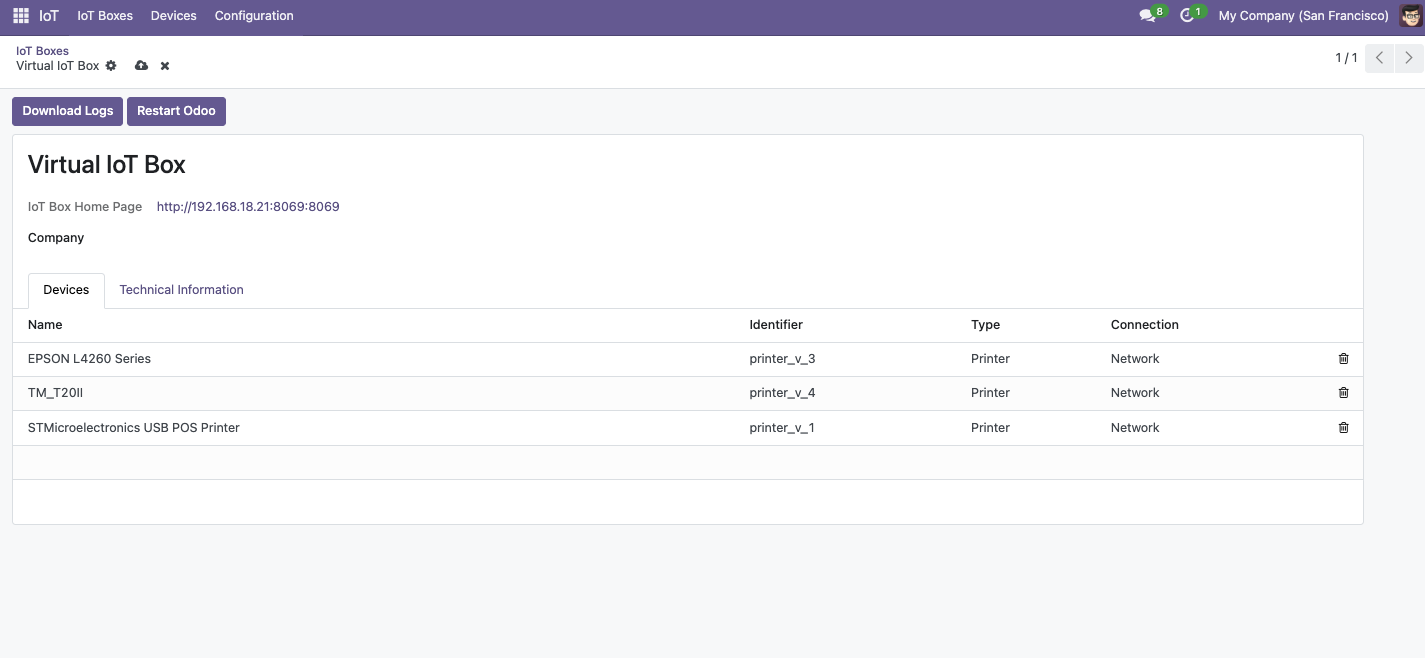
Connected IoT Hardware Fleet Management
Manage all network thermal printers, A4 office printers, digital scales, Zebra barcode labelers, and payment terminals in a unified device list.
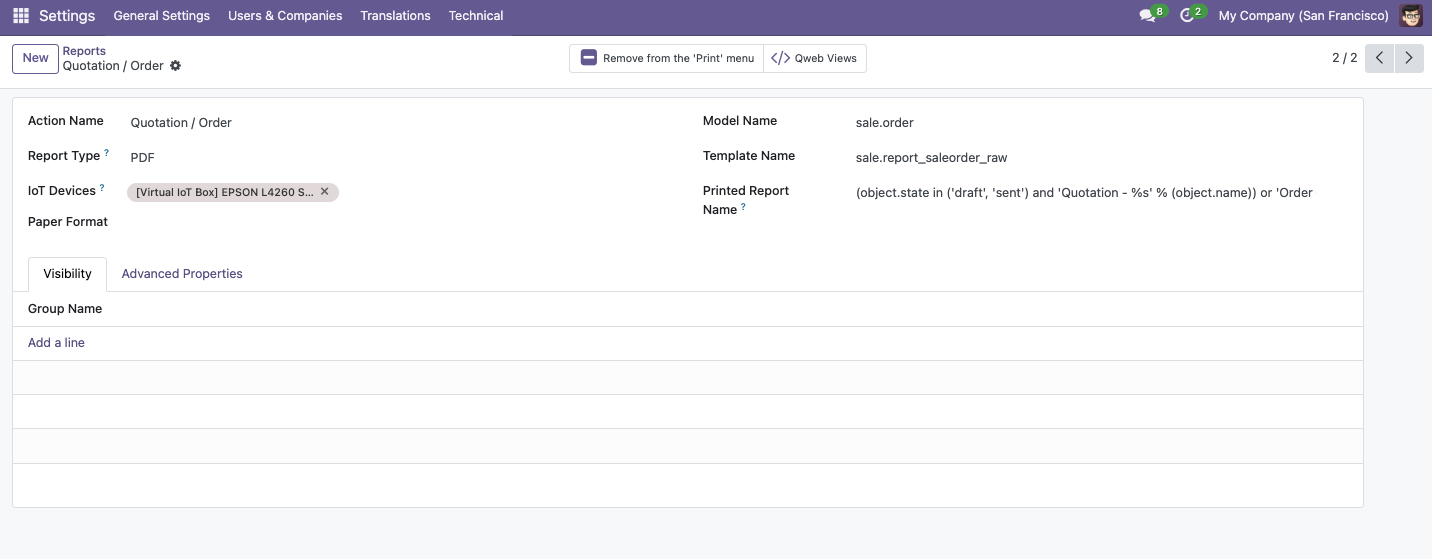
Direct PDF Action Report Printer Linkage (ir.actions.report)
Assign specific IoT printer devices directly to Odoo report actions (Quotations, Invoices, Delivery Slips, Purchase Orders). Printing triggers automatic background document dispatch directly to the designated printer without opening a browser print dialog.
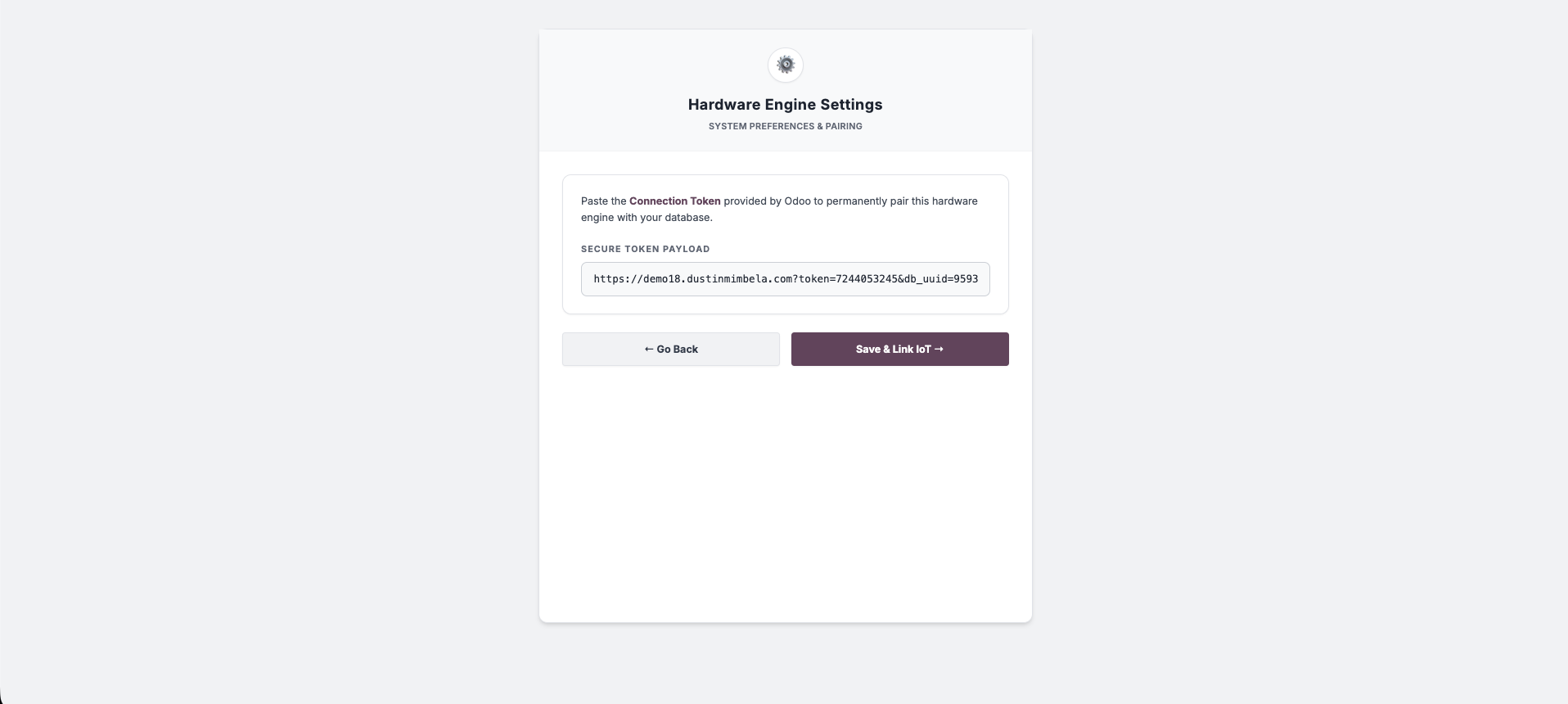
Step 1: Copy Connection Token from Odoo IoT App > IoT Boxes
Generate and copy native Odoo pairing tokens from IoT App > IoT Boxes > Connect for secure local proxy authentication.

Step 2: Pair Token in Local JIoTBox Web Engine
Paste the pairing token into your local JIoTBox web interface to establish instant encrypted local REST & WebSocket communication.
Step 3: Instant POS & System-Wide Hardware Telemetry
Trigger promptless thermal receipt printing, live digital scale weight reading, and payment terminal authorization instantly.

Everything You Need to Know
Does Virtual IoT Box work outside of Point of Sale?
Yes! Virtual IoT Box Proxy is a universal Odoo hardware hub. It works seamlessly across Inventory, Barcode Labeling, Logistics, Invoicing/Accounting, Manufacturing, as well as Point of Sale.
Do I need to buy a physical Odoo IoT Box?
No! Virtual IoT Box Proxy allows you to use existing Windows, Linux, or Raspberry Pi hardware to act as your IoT hub, eliminating physical IoT box costs and subscription fees.
Does it support ZPL barcode printers and A4 laser printers?
Yes! It directly streams ZPL/TSPL commands to Zebra label printers for shipping & product barcodes, as well as PDF reports (Invoices, Pickings) to standard A4 network printers.
Is this compatible with Odoo Community and Enterprise?
Yes! Virtual IoT Box Proxy & Hardware Hub is 100% compatible with both Odoo Community Edition and Odoo Enterprise Edition for version 18.0.
¿Necesitas conectar hardware en tu Odoo POS?
Desarrollo de módulos a medida, conexión directa de balanzas comerciales, impresoras térmicas (IP/Bluetooth/USB), y flujos de automatización locales.