Volver a la Tienda de Apps
Odoo Apps / Sales

v18
Sales
Módulo:
pos_custom_numpad POS Payment Custom Numpad
Precio del Módulo Gratis
Documentación Completa del Módulo
POS Custom Fast Payment Numpad
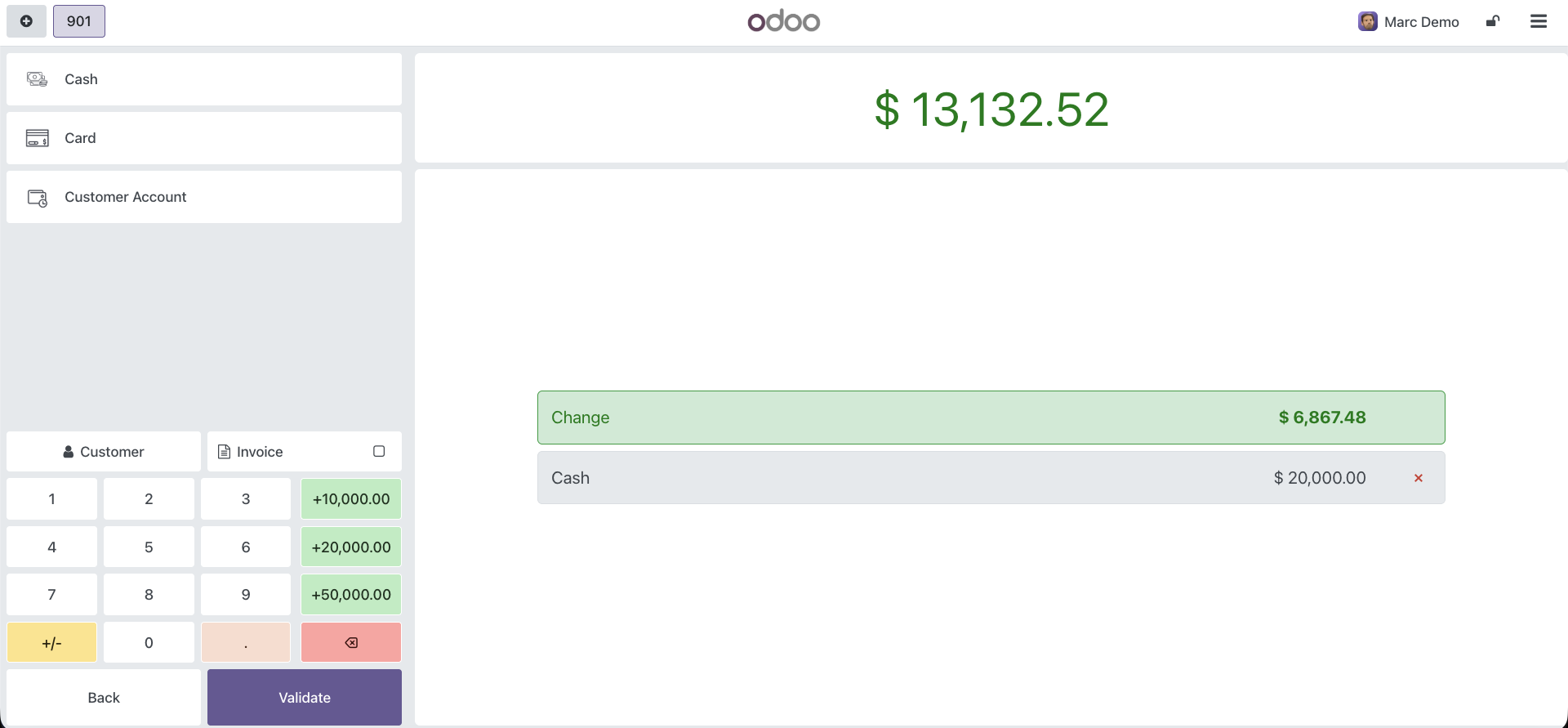
This module allows you to fully customize the default "+10", "+20", and "+50" fast-cash buttons on your Odoo POS Payment Screen. Perfect for high-denomination currencies where the default buttons are too low to be useful.
How to Configure
- Go to Point of Sale > Configuration > Settings.
- Scroll to the POS Interface section.
- Set your custom values in the 3 Custom Numpad Buttons fields (e.g. 10000, 20000, 50000).
- Refresh your POS session.
Using the Numpad
Inside the POS, validate your items and proceed to the Payment screen. The standard buttons are now dynamically replaced by your configured values.
- Custom values format automatically based on your active currency symbol and decimals.
- Tap them sequentially to calculate the exact cash amount handed to you.
- Fully compliant with Odoo 18's native OWL `NumberBuffer` limits.
Key Features
- Easy setup from backend POS Settings.
- Ideal for LATAM currencies (COP, CLP, ARS, etc.).
- Dynamic CSS rendering for instant recognition (Green colored buttons).
- Instant change calculation without UI freezing.
¿Necesitas conectar hardware en tu Odoo POS?
Desarrollo de módulos a medida, conexión directa de balanzas comerciales, impresoras térmicas (IP/Bluetooth/USB), y flujos de automatización locales.
Gracias. Analizaré tu requerimiento y te responderé a la brevedad.
Hubo un error al enviar el formulario. Por favor, inténtalo de nuevo.