
pos_employees_commissions POS Sales Commissions
Documentación Completa del Módulo
Calculate sales commissions for employees in Point of Sale. This module allows you to implement a transparent and automated commission system directly within your Point of Sale. Configurable by product, category, or fixed amount with granular assignment by Order or Order Line.
- Flexible Rules: Define commissions by Percentage or Fixed Amount per product/category.
- Granular Assignment: Assign salesperson to specific Order Lines or the entire Order.
- Real-time: Works directly in the POS interface with visual indicators.
- Transparency: Employees can easily track their daily earnings via backend records or reports.
- Reporting: PDF/Excel reports filtered by employee and date range.
Configuration & Usage
Create flexible rules that fit your business model. You can choose between two main calculation modes: Total Order Amount (global commission) or Product/Category Rules (specific items).
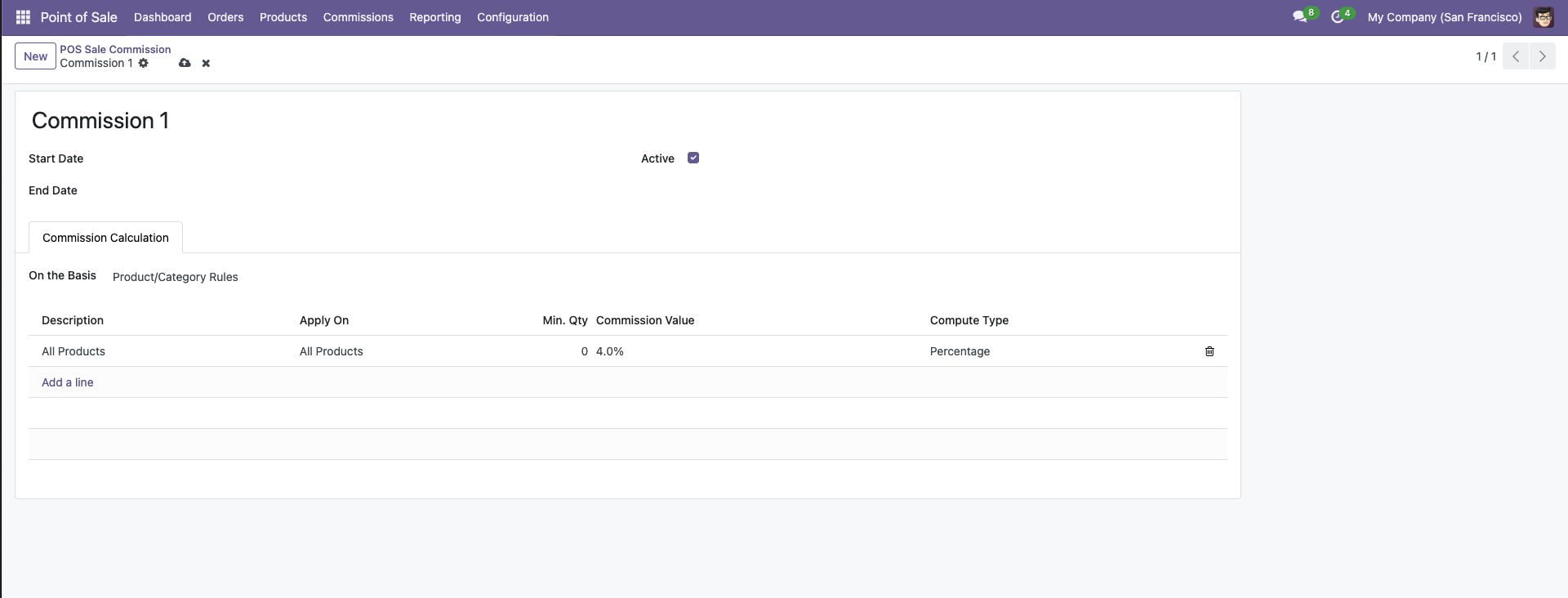
Rules: Configure percentage or fixed amounts for specific products or entire categories.
Activate the commission feature in your Point of Sale configuration. Here you can select the Default Commision Rule and choose the calculation method: Commission by Order, Commission by Product, or Commission by Order Line.
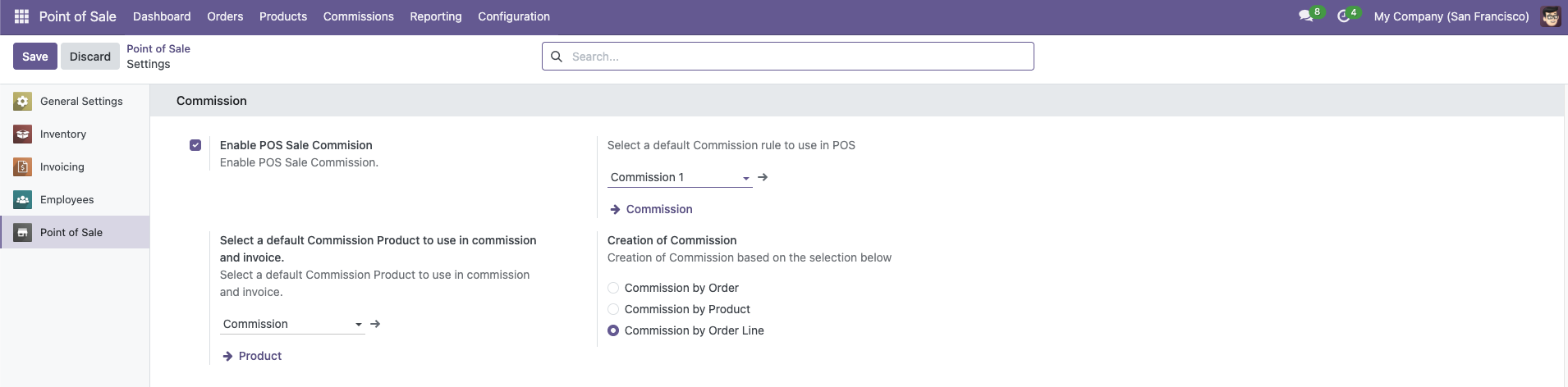
Setup: Select the Commission Product that will be used for invoicing and set your preferred calculation logic.
Point of Sale
This module allows granular control. You don't just assign a cashier; you assign a Salesperson to each Order Line. This unique feature allows accurate attribution even if multiple employees helped with a single customer's basket.
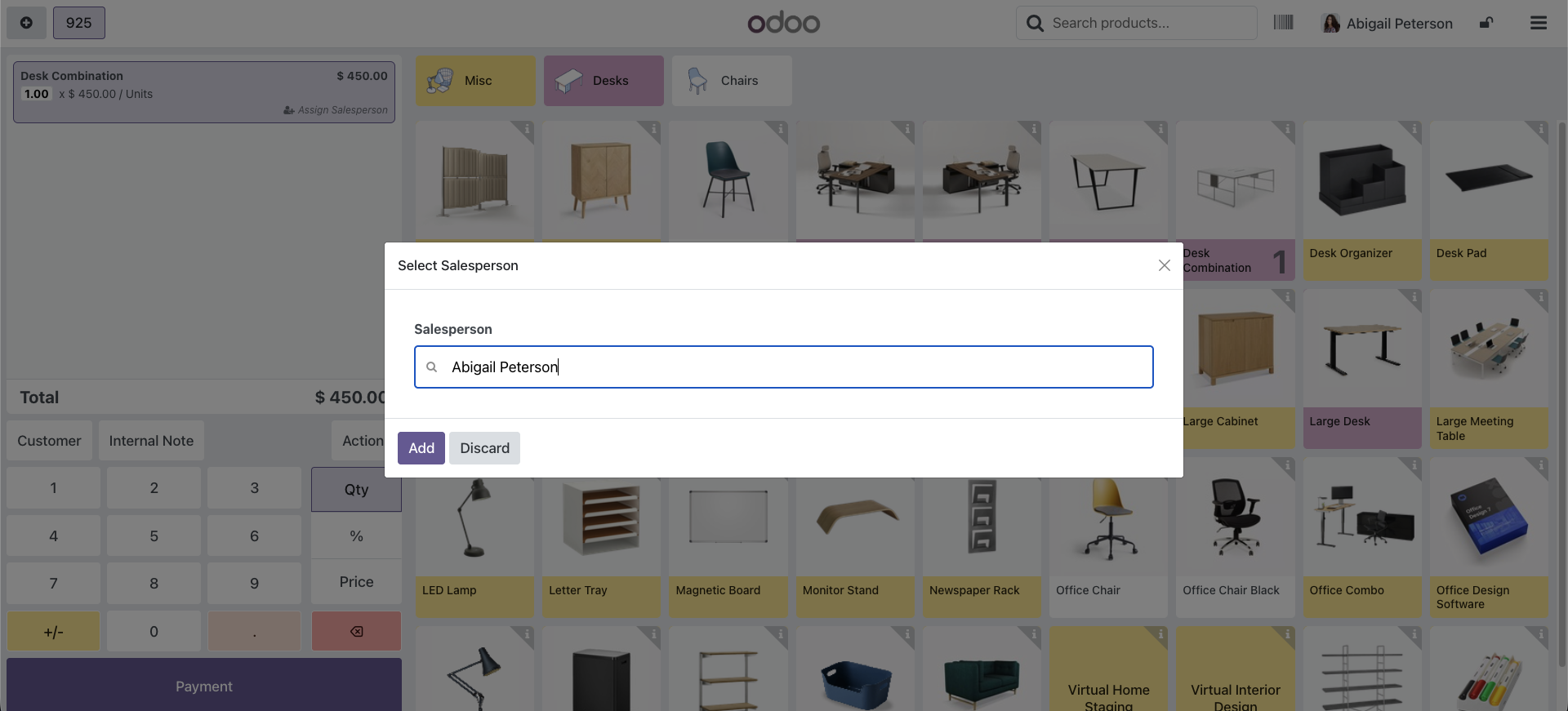
Commission Tracking
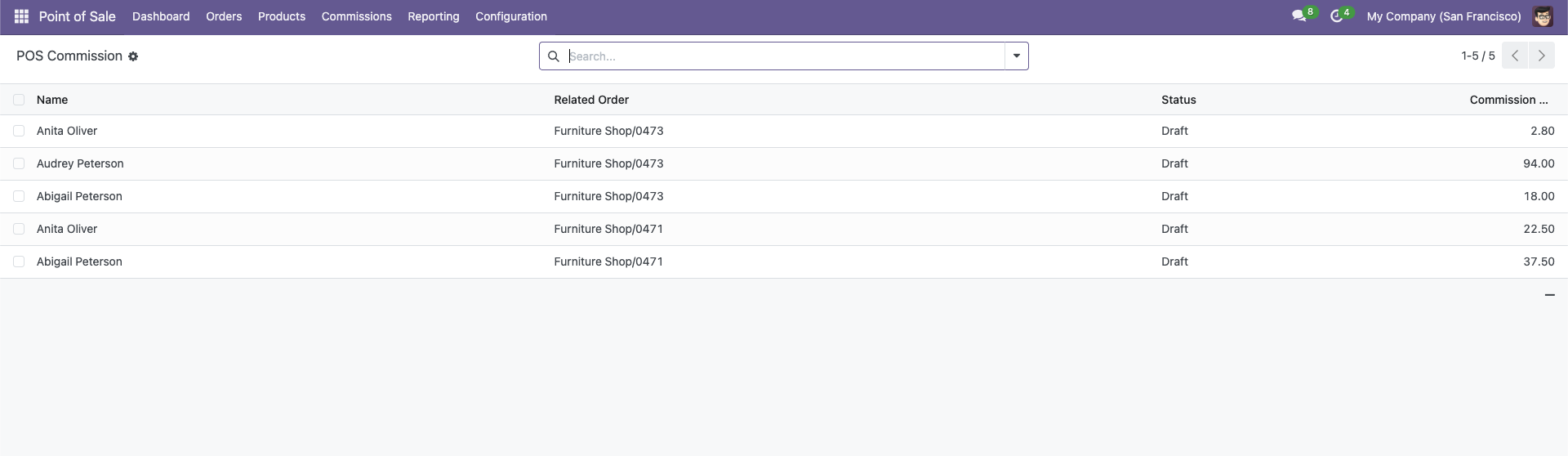
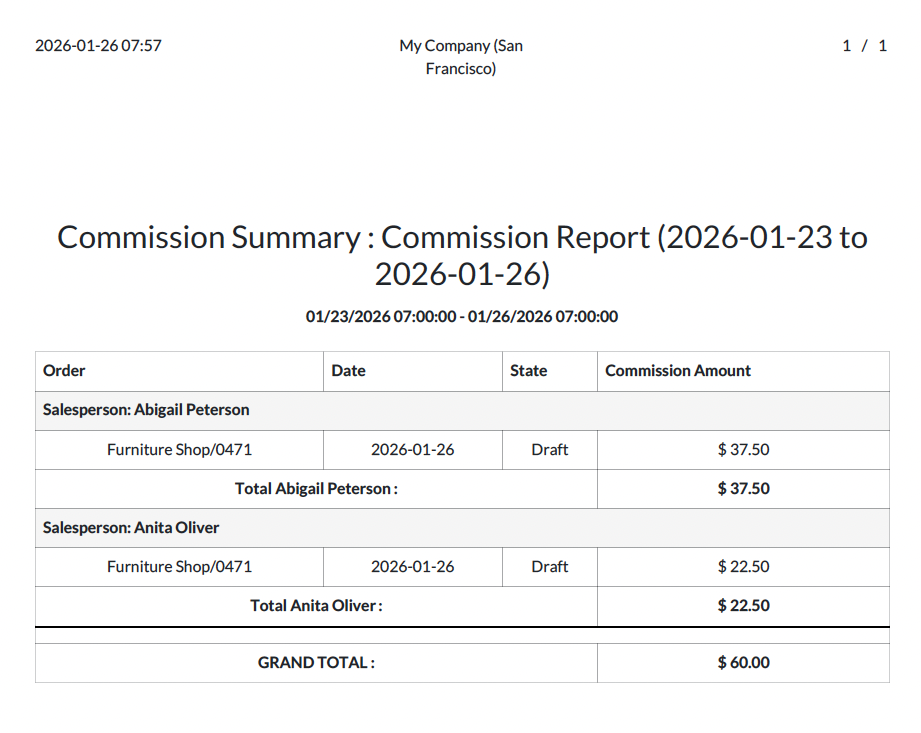
Commissions are generated instantly in draft state. You can review them in the backend to see distinct records for each employee, order details, and calculated amounts before they are processed.
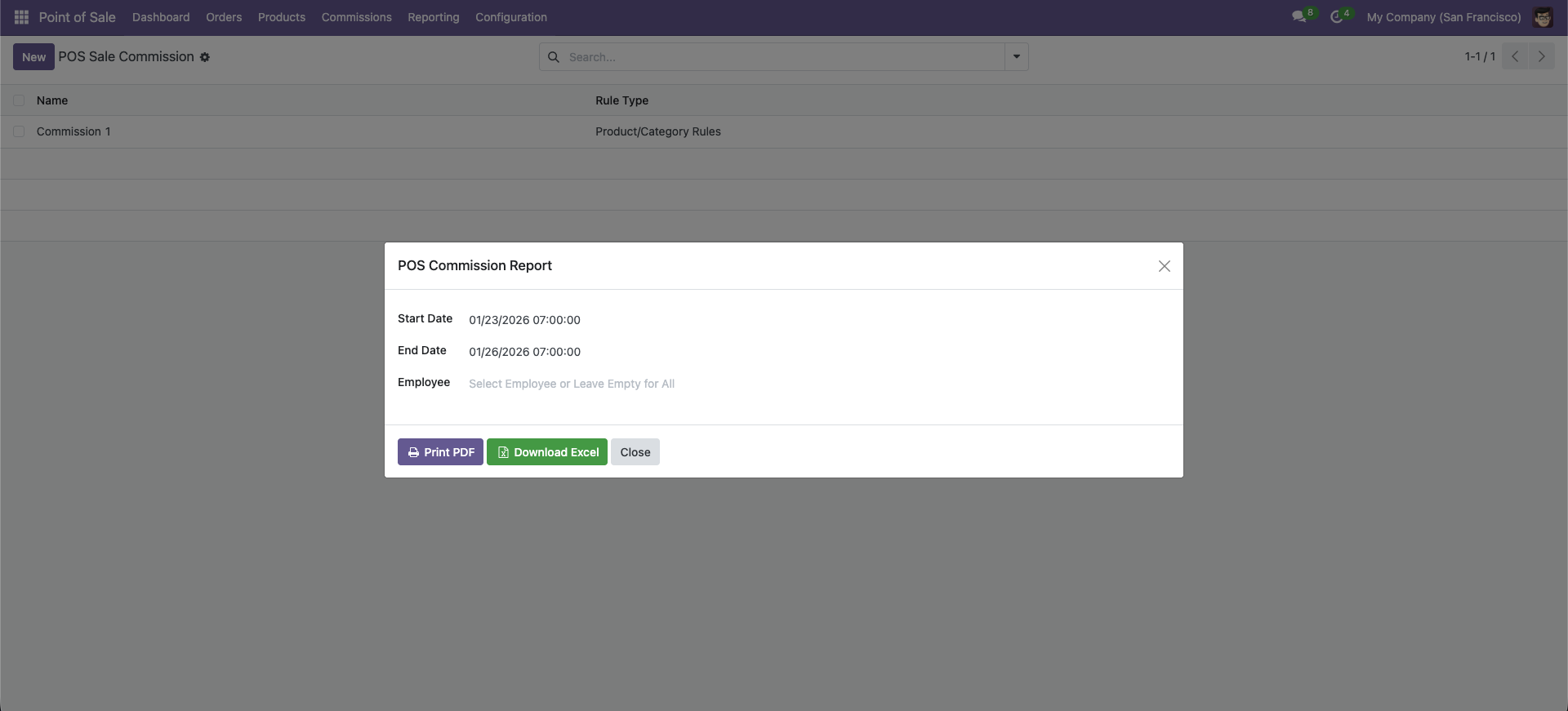
Use the Reporting Wizard to filter by date range and generate a comprehensive Commission Report for payroll.
Get a professional PDF breakdown showing every sale, the commission rate applied, and the total earned.
¿Necesitas conectar hardware en tu Odoo POS?
Desarrollo de módulos a medida, conexión directa de balanzas comerciales, impresoras térmicas (IP/Bluetooth/USB), y flujos de automatización locales.