pos_kitchen_receipt_split POS Kitchen Receipt Split
Documentación Completa del Módulo
Split kitchen receipts by order line or quantity for better kitchen workflow management. Print individual receipts for each dish or each unit, giving your kitchen staff precise control over order preparation.
Split receipts by order line (1 line = 1 receipt)
Split receipts by quantity (2x Burger = 2 receipts)
- Split by Order Line: Print one order line per receipt for individual dish tracking.
- Split by Quantity: Print one unit per receipt (2x Burger = 2 separate receipts).
- Per-Printer Configuration: Configure each printer independently - mix split and normal printing.
- ePOS Compatible: Works with Epson ePOS printers and IoT Box printers.
- Auto-Print: Works seamlessly with auto-print on validation.
- Modifier Support: Supports product modifiers and notes on split receipts.
How It Works
1. Configure Printer
Enable split by line or split by quantity on each printer.
2. Send to Kitchen
Order is sent to kitchen and receipts are automatically split.
3. Individual Receipts
Each line or unit prints on its own receipt for better organization.
Step 1: Configure Printers
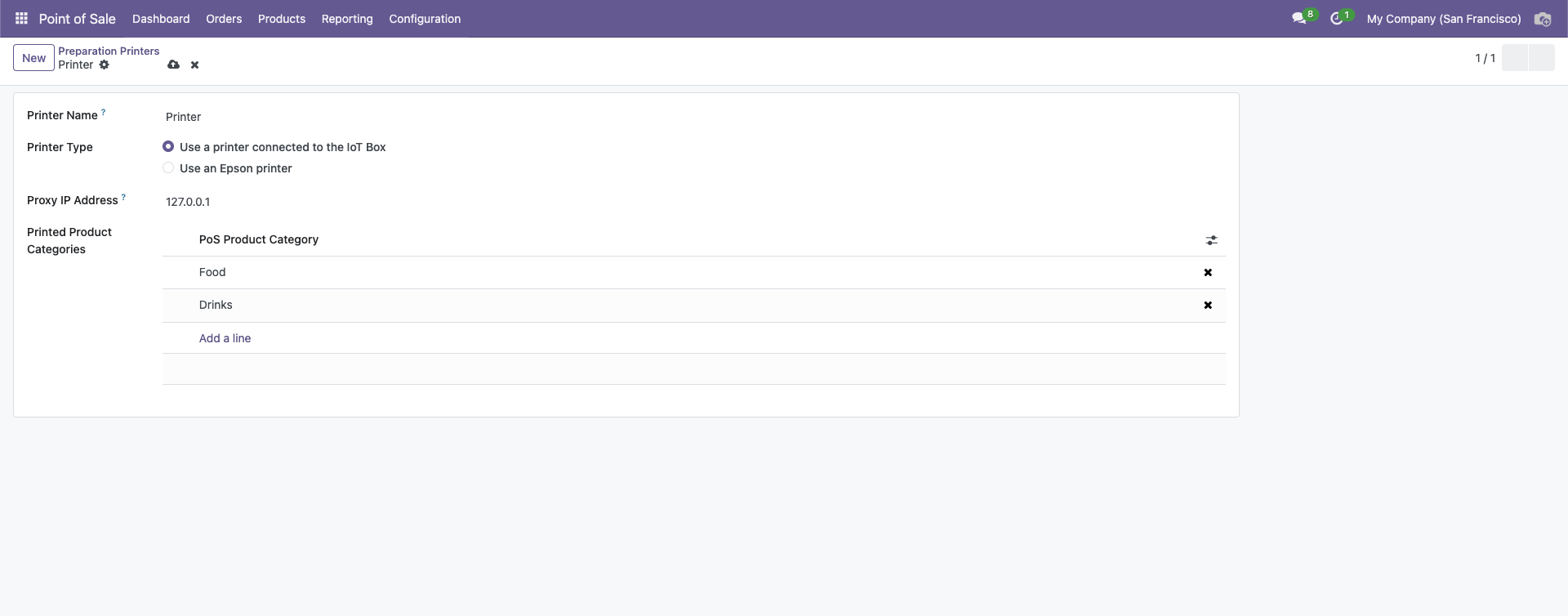
Navigate to Point of Sale → Configuration → Preparation Printers and edit each printer:
- Split by Order Line: Enable to print 1 line per receipt
- Split by Quantity: Enable to print 1 unit per receipt (requires Split by Order Line)
Step 2: Use Cases
Restaurant Kitchen
Food Printer: Split by order line - each dish gets individual attention
Drinks Printer: Normal - all drinks on one receipt for efficiency
Fast Food
Grill Station: Split by quantity - each burger printed separately
Fry Station: Normal - all fries together
Example Scenario
Order: 2x Cheese Burger, 1x Soda, 1x Lemonade
Food Printer (Split by Quantity):
- Receipt 1: 1x Cheese Burger
- Receipt 2: 1x Cheese Burger
Drinks Printer (Normal):
- Receipt 1: 1x Soda, 1x Lemonade
- Better Organization: Each dish or unit gets its own receipt for clearer kitchen workflow.
- Flexible Configuration: Mix split and normal printing across different printers.
- Improved Efficiency: Kitchen staff can focus on one item at a time.
- ePOS Compatible: Works with Epson ePOS and IoT Box printers.
- Easy Setup: Simple checkbox configuration per printer.
- Modifier Support: Product notes and modifiers print correctly on split receipts.
¿Necesitas conectar hardware en tu Odoo POS?
Desarrollo de módulos a medida, conexión directa de balanzas comerciales, impresoras térmicas (IP/Bluetooth/USB), y flujos de automatización locales.