pos_menu_qr POS Digital Menu QR Code
Documentación Completa del Módulo
This module extends the Odoo Point of Sale (POS) application, enabling businesses to provide their customers with a digital menu through a QR code. It offers a solution for restaurants, cafes, and other food service establishments looking to enhance their customer service and streamline the ordering process.
- QR Code Generation: Automatically generates a QR code for your digital menu, making it easily accessible for your customers.
- Customizable Menus: Offers flexibility in menu design and what items are included, allowing businesses to update their menu in real-time.
- Product Images: Display product images in your digital menu to give customers a visual preview of your offerings.
- Price Management: Hide prices for specific products and display a custom message (e.g., "Ask for the Price") for items with variable pricing.
- Product Search: Built-in search functionality allows customers to quickly find specific items in your menu.
- Product Descriptions: Add detailed descriptions to products with customizable colors to match your brand.
- Color Customization: Personalize your menu with custom colors for titles, categories, products, descriptions, and backgrounds.
- Enhanced Customer Experience: Provides a seamless and modern dining experience, reducing wait times and improving order accuracy.
Configuration Guide
Go to Point of Sale → Configuration → POS Digital Menu QR. Add your menu items and customize the design of your digital menu.
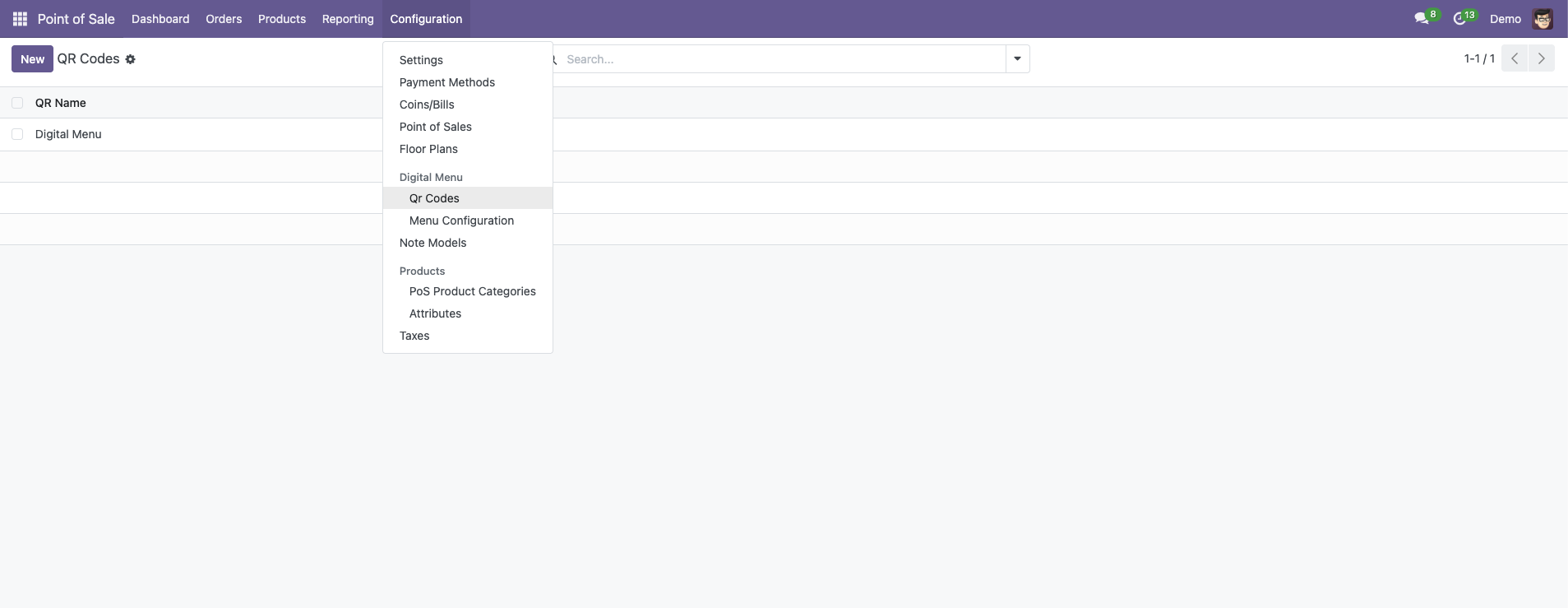
After setup, generate the QR code to be displayed at your establishment.
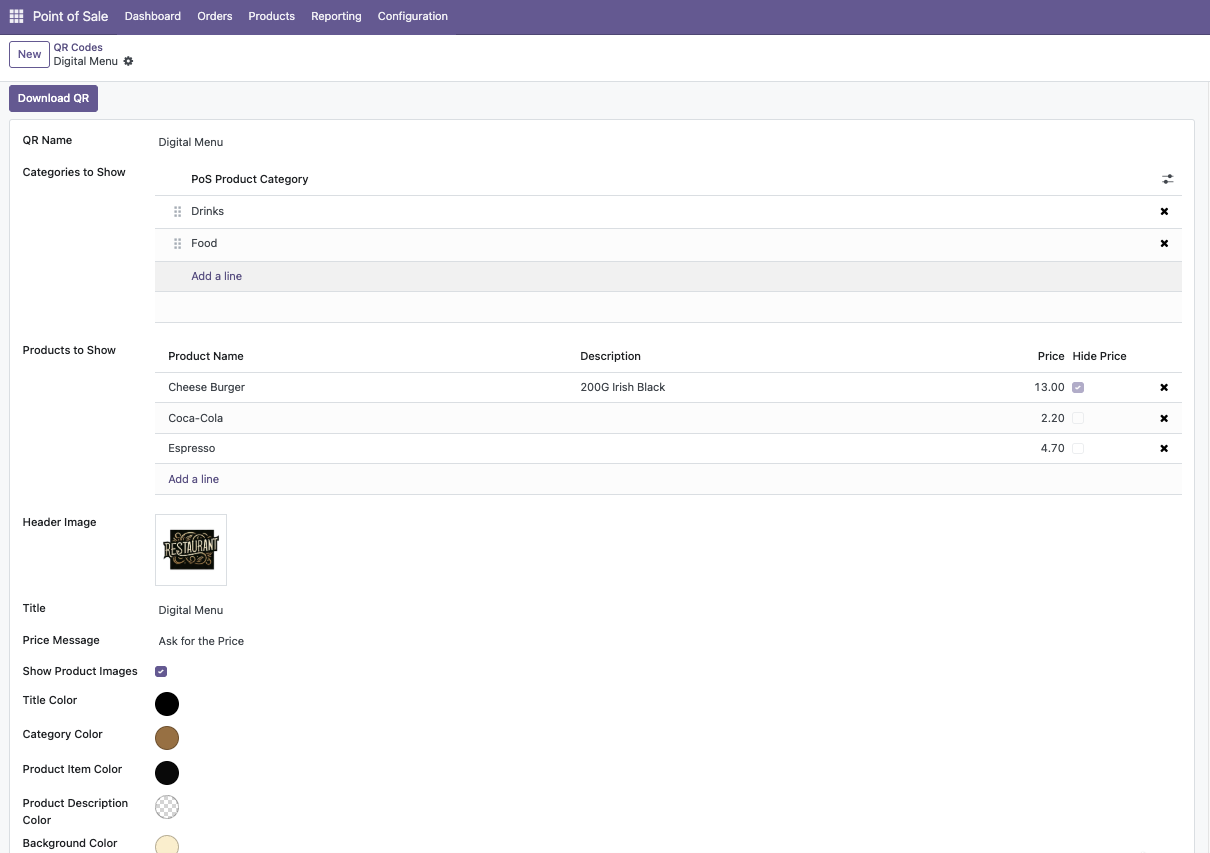
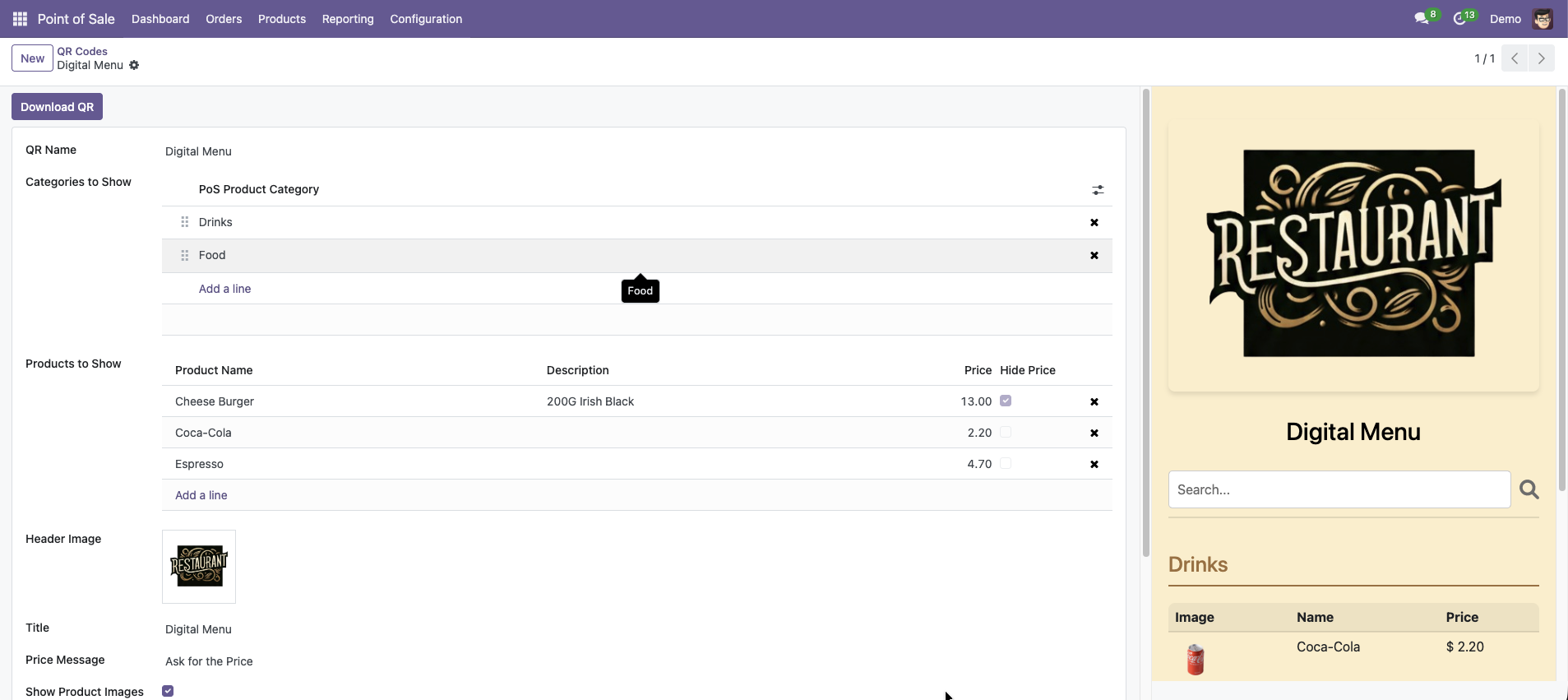
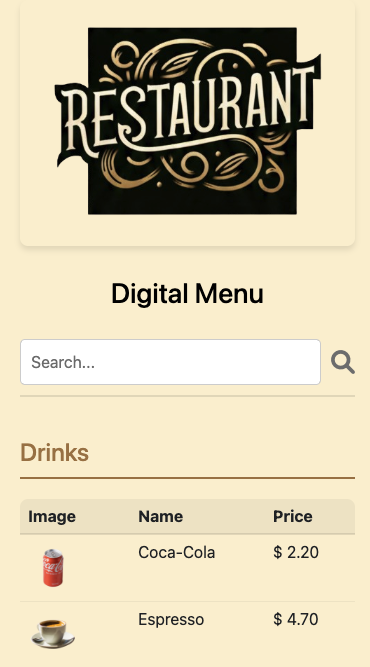
Menu Updates: Ensure your menu items are up to date in the POS settings to reflect on your digital menu accurately. Please remember to save your changes; this ensures that updates to the menu items are displayed in real-time on the digital menu.
Product Images: Enable or disable product images from the QR Code configuration. Images will be displayed from the product's main image field.
Price Hiding: You can hide prices for individual products by checking the "Hide Price in Digital Menu" option in the product form. A custom message will be displayed instead (configurable in the QR Code settings).
Search Functionality: Customers can use the search bar at the top of the menu to quickly find products. The search filters both product names and categories in real-time.
Help and Support
¿Necesitas conectar hardware en tu Odoo POS?
Desarrollo de módulos a medida, conexión directa de balanzas comerciales, impresoras térmicas (IP/Bluetooth/USB), y flujos de automatización locales.