Volver a la Tienda de Apps
Odoo Apps / Point of Sale
v17
v18
v19
Point of Sale
Módulo:
pos_payment_validation_warning POS Order Validation Warning / Confirm Payment Before Closing
Precio del Módulo € 23.08
Documentación Completa del Módulo
POS Order Validation Warning
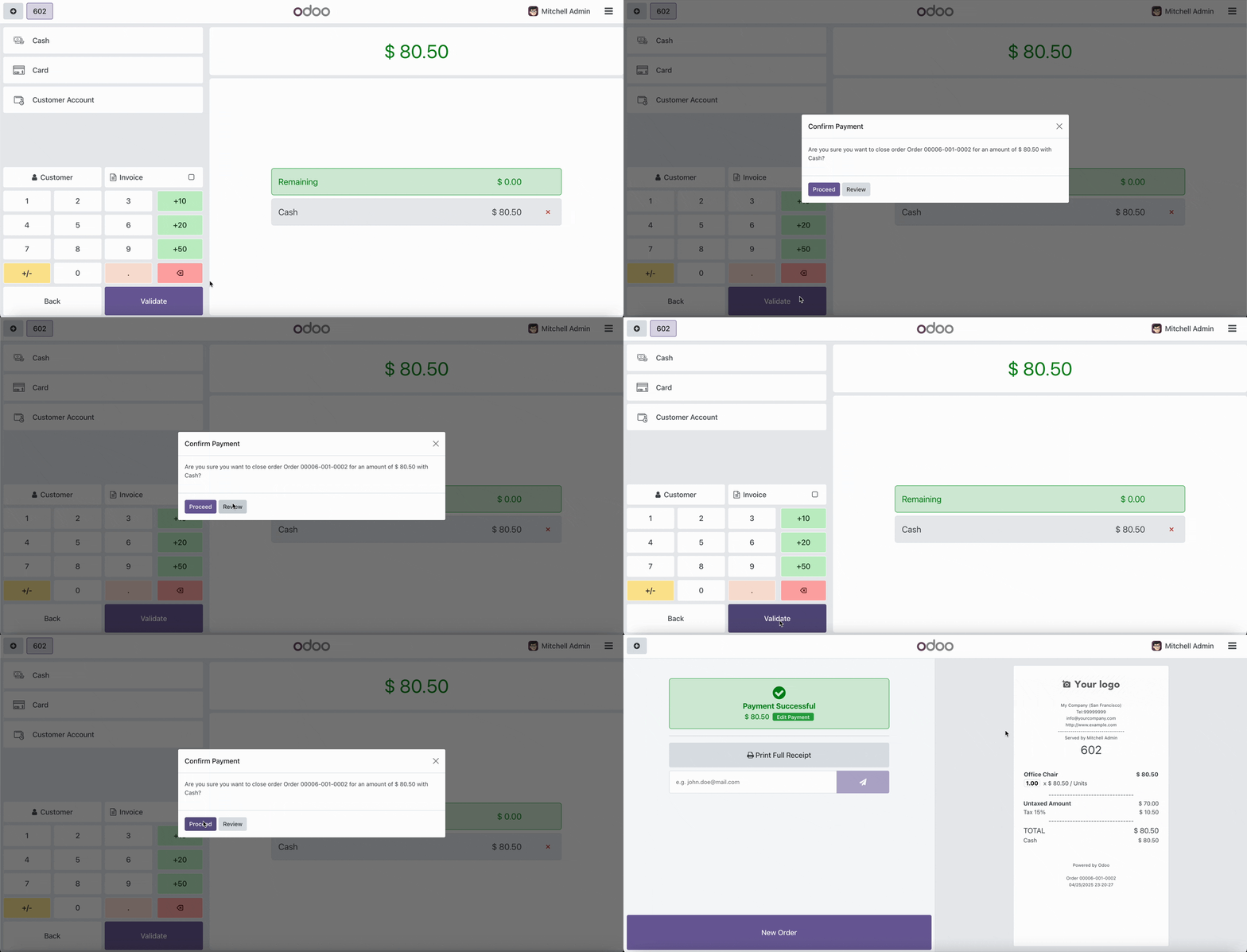
This module enhances the Odoo Point of Sale (POS) application by displaying a detailed confirmation dialog before order validation, showing order amount and payment methods used. This helps prevent errors in payment processing and ensures proper financial record-keeping.
Key Features
- Detailed Confirmation Dialog: Displays order information, total amount, and all payment methods with their respective amounts.
- Multi-payment Support: Shows all payment methods used in split payments with their individual amounts.
- Validation Control: Allows users to either proceed with validation or review the payment information.
- Configurable: Option to enable or disable the confirmation feature through POS configuration.
- Prevents Errors: Reduces mistakes in payment processing by adding an extra verification step.
- Improves Accuracy: Ensures all financial transactions are properly recorded with the correct payment methods.
Configuration
To enable the payment validation warning feature:
- Go to Point of Sale > Configuration > Settings
- Under the Bills & Receipts section, find the "Payment Validation Warning" option
- Enable the checkbox to activate the feature
- Save the configuration
Once enabled, a confirmation dialog will appear whenever a user attempts to validate an order in POS, showing the order details, total amount, and payment methods used.


¿Necesitas conectar hardware en tu Odoo POS?
Desarrollo de módulos a medida, conexión directa de balanzas comerciales, impresoras térmicas (IP/Bluetooth/USB), y flujos de automatización locales.
Gracias. Analizaré tu requerimiento y te responderé a la brevedad.
Hubo un error al enviar el formulario. Por favor, inténtalo de nuevo.