Volver a la Tienda de Apps
Odoo Apps / Point of Sale
v18
v19
Point of Sale
Módulo:
pos_table_partial_transfer POS Table Partial Transfer
Precio del Módulo € 75.01
Documentación Completa del Módulo
POS Table Partial Transfer
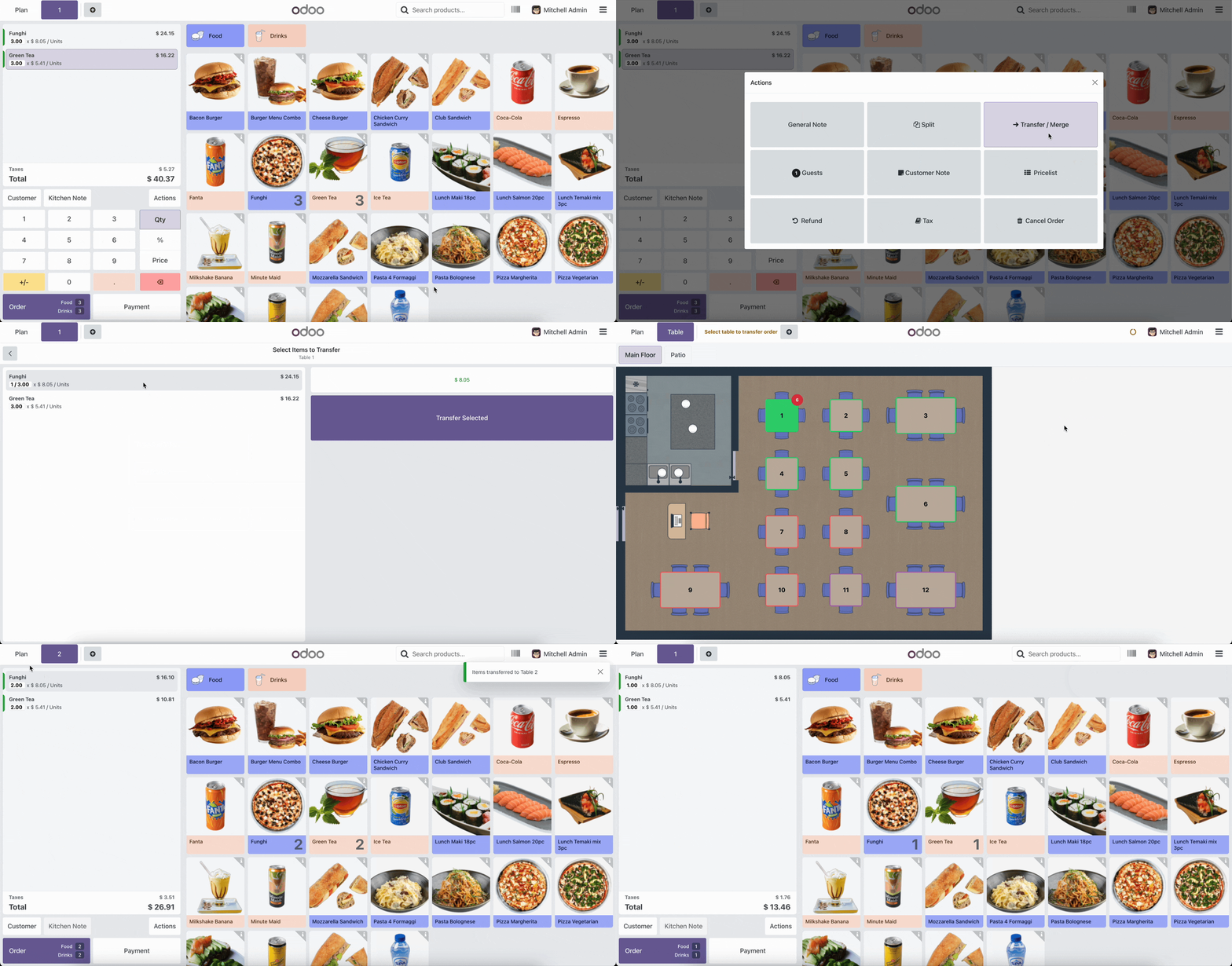
Transfer selected items or partial quantities between tables in POS Restaurant. Perfect for splitting bills, moving items between tables, or managing complex table scenarios. No more transferring entire orders when you only need to move a few items!
Key Features
- Partial Transfer: Select specific items and quantities to transfer
- Full Order Transfer: Also supports complete table moves
- Smart Merging: Automatically merges with existing orders on destination table
- Auto Navigation: Automatically goes to destination table after transfer
- Kitchen Integration: Properly handles preparation states for kitchen display
- Visual Feedback: Clear indicators during transfer mode
How to Use - Full Order Transfer
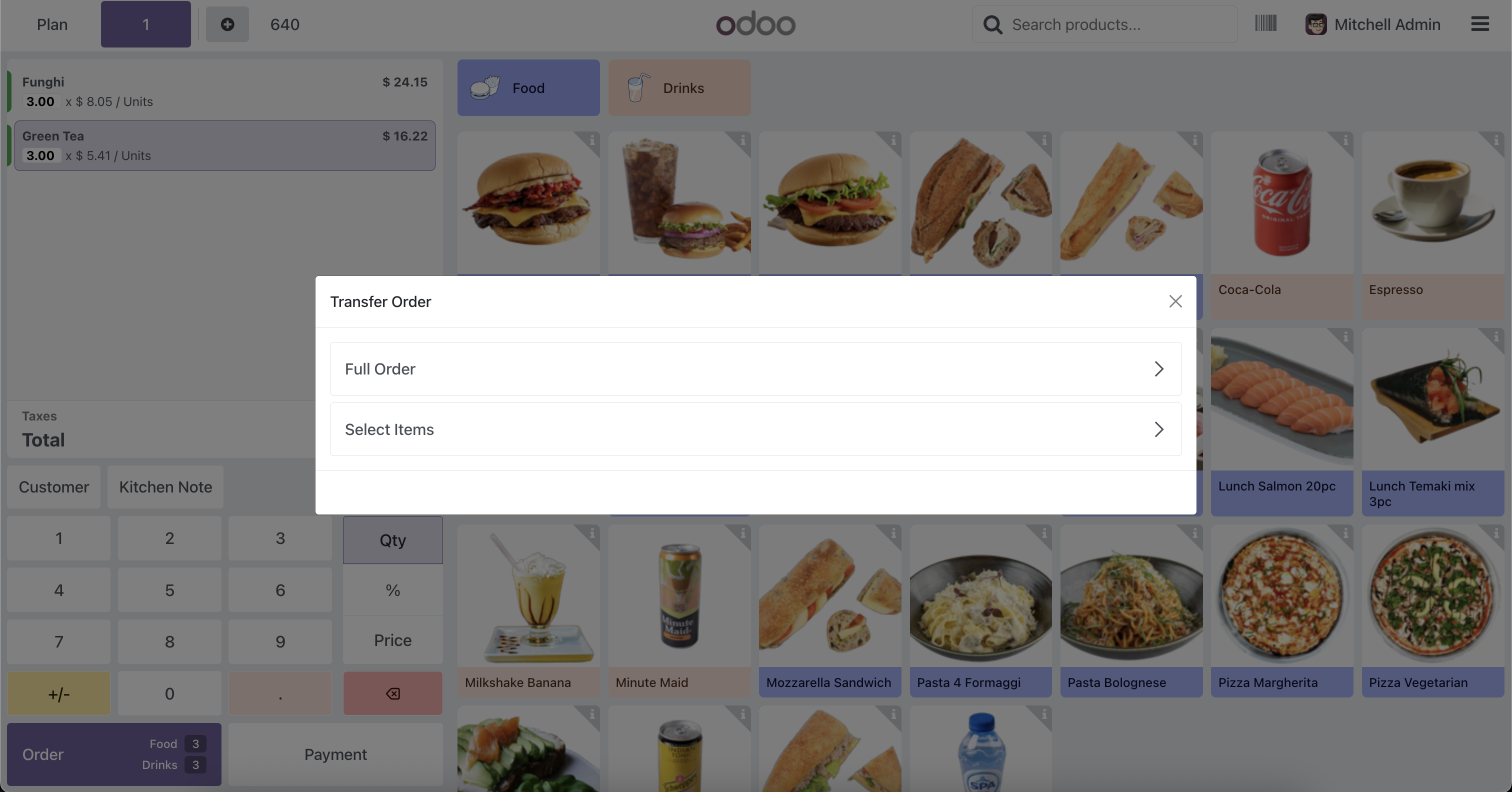
- In the origin table, click Actions → Transfer / Merge
- Select Full Order
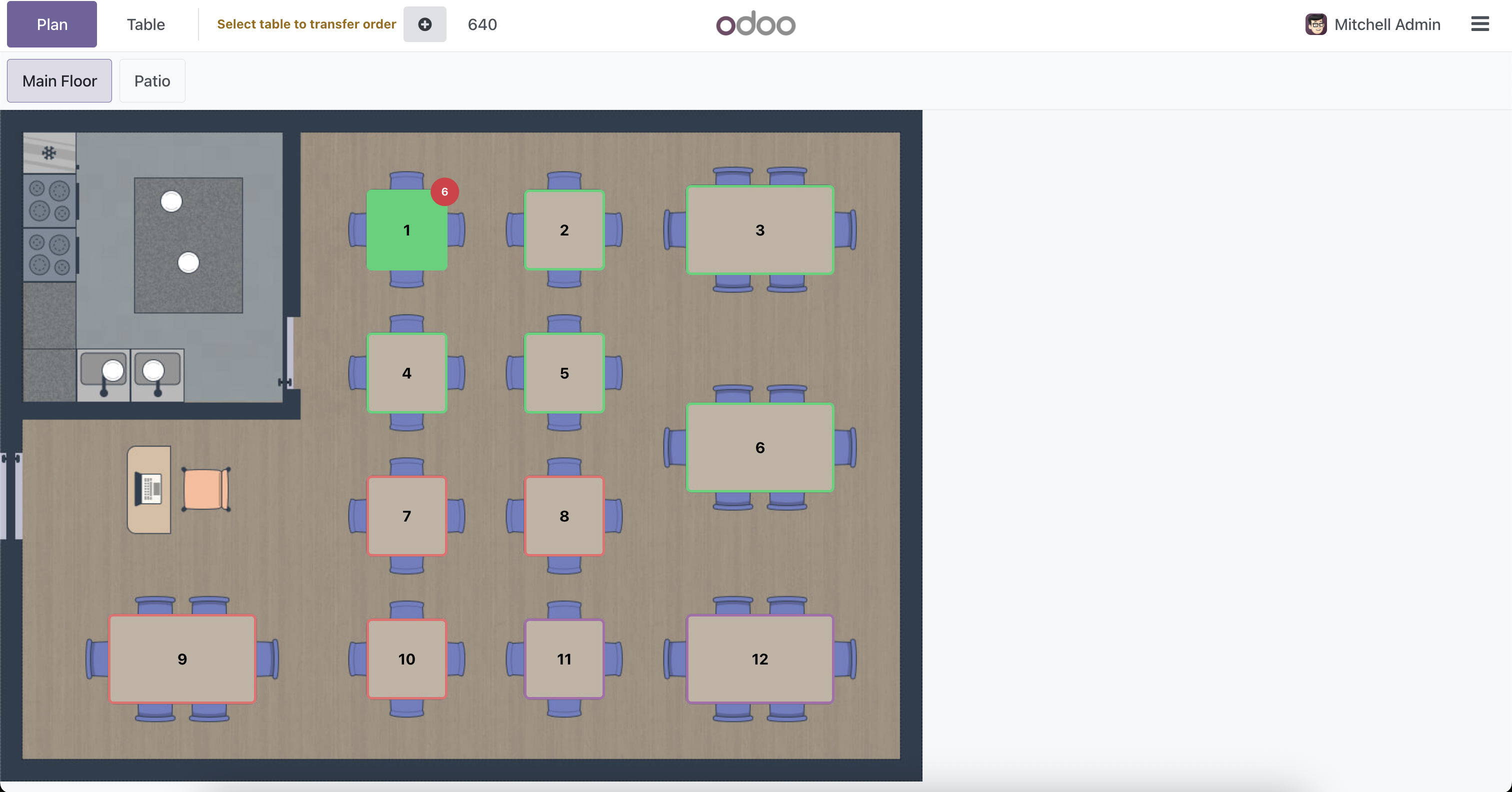
- Click on the destination table
- Order is transferred completely
How to Use - Partial Transfer
- In the origin table, click Actions → Transfer / Merge
- Select Select Items
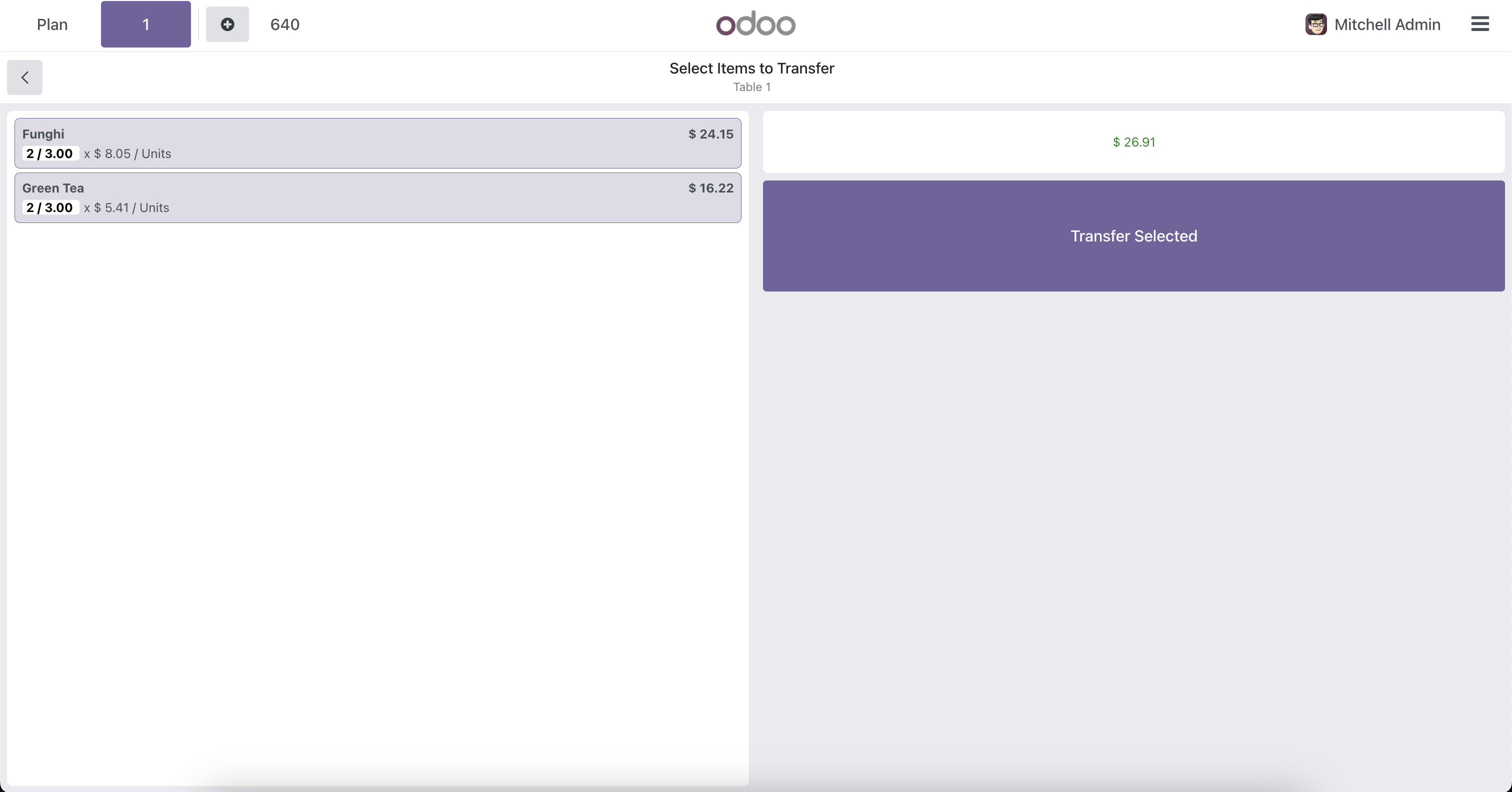
- Click on items to select quantities
- Use +/- buttons to adjust quantities
- View selected items total at the bottom
- Click Transfer Selected button
- Click on the destination table
- Items are transferred and you're automatically taken to the destination table
Perfect For
- Split Bills: Customers want to split the bill? Transfer specific items to different tables easily
- Table Changes: Customers moving tables? Transfer only what they want, leave the rest
- Order Corrections: Wrong table? Transfer specific items without moving the entire order
- Group Management: Manage large groups across multiple tables with ease
Item Selection Screen: Select specific items and adjust quantities before transferring
Transfer Mode: Visual feedback showing transfer mode - select destination table
¿Necesitas conectar hardware en tu Odoo POS?
Desarrollo de módulos a medida, conexión directa de balanzas comerciales, impresoras térmicas (IP/Bluetooth/USB), y flujos de automatización locales.
Gracias. Analizaré tu requerimiento y te responderé a la brevedad.
Hubo un error al enviar el formulario. Por favor, inténtalo de nuevo.