Volver a la Tienda de Apps
Odoo Apps / Point of Sale
v18
Documentación Completa del Módulo
POS Table Timer
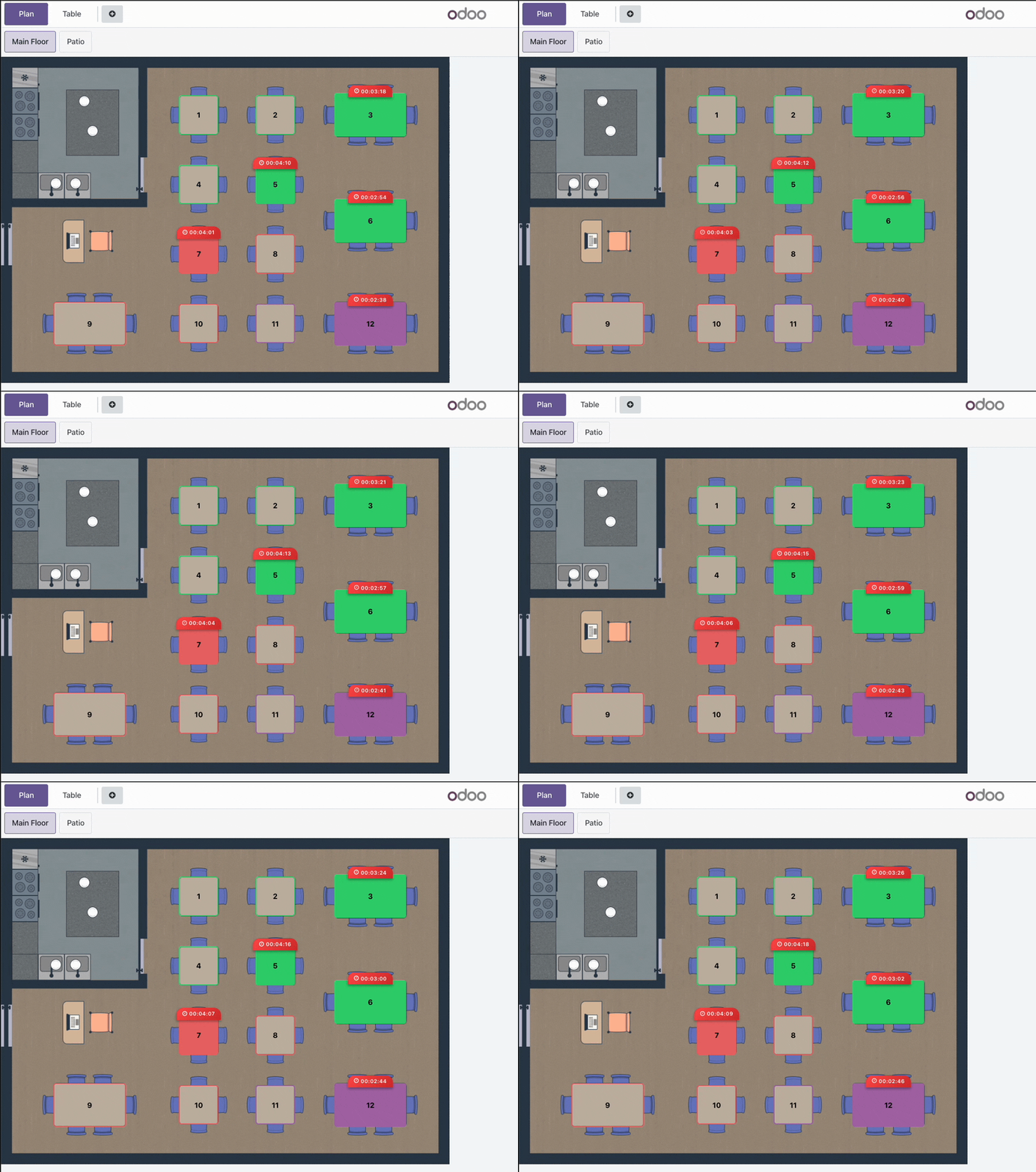
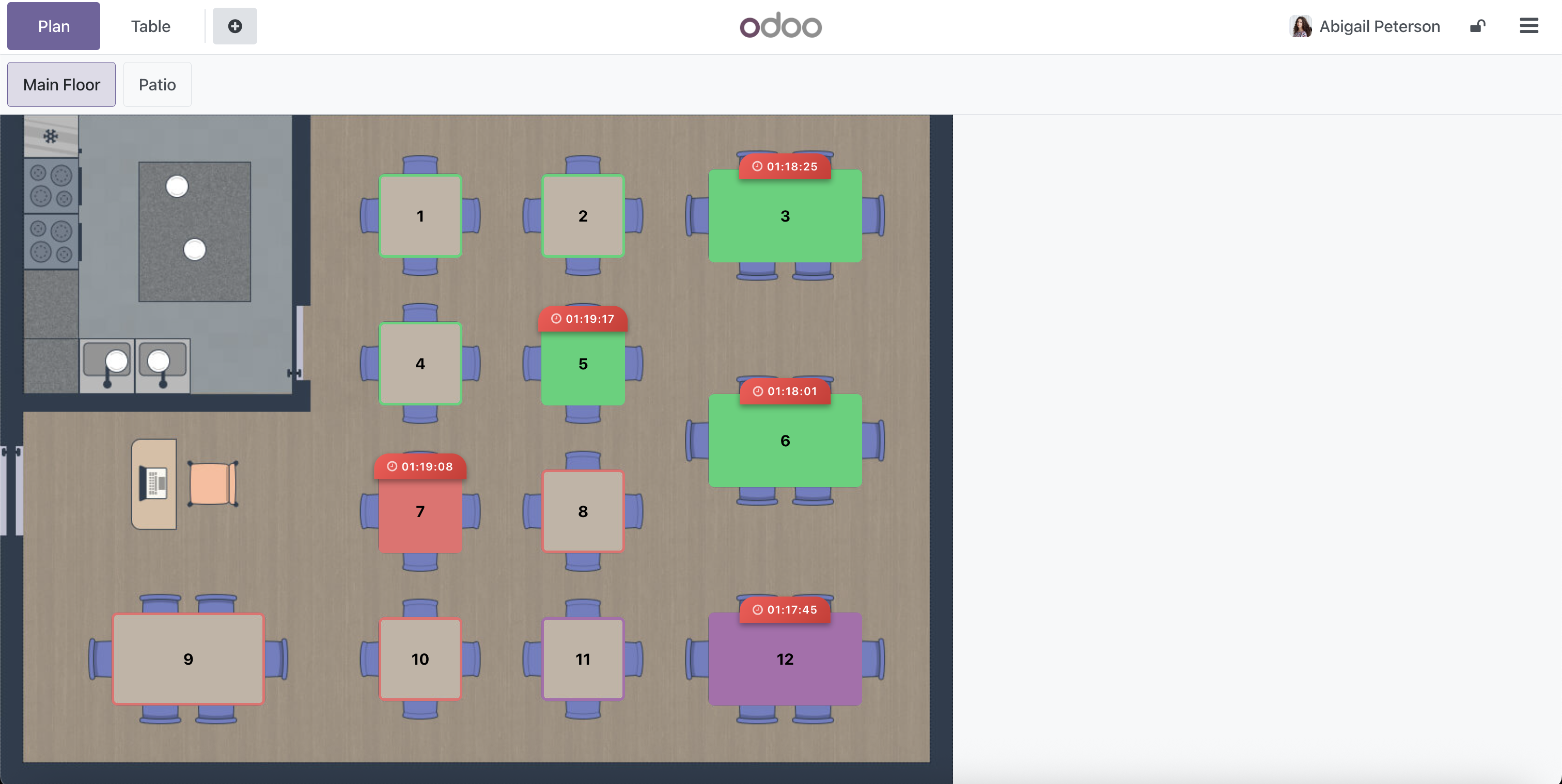
This module enhances the Odoo Point of Sale (POS) restaurant system by displaying a real-time timer for each occupied table. It provides restaurant managers and staff with a visual indicator of how long customers have been seated, improving table turnover management and overall service efficiency.
Key Features
- Real-Time Table Timer: Displays the elapsed time since a table was occupied, helping staff manage table turnover efficiently.
- Modern Visual Indicator: Stylish timer display with gradient background and clear formatting for easy visibility.
- Easy Configuration: Simple enable/disable option in POS settings without complex setup requirements.
- Time Tracking: Records start and end times for each table session, allowing for analysis of table usage patterns.
Easy Configuration
Enabling the Table Timer feature is simple. Just follow these steps:
- Go to Point of Sale → Configuration → Settings
- Find the Restaurant section
- Check the "Table Time Counter" option
- Save your settings
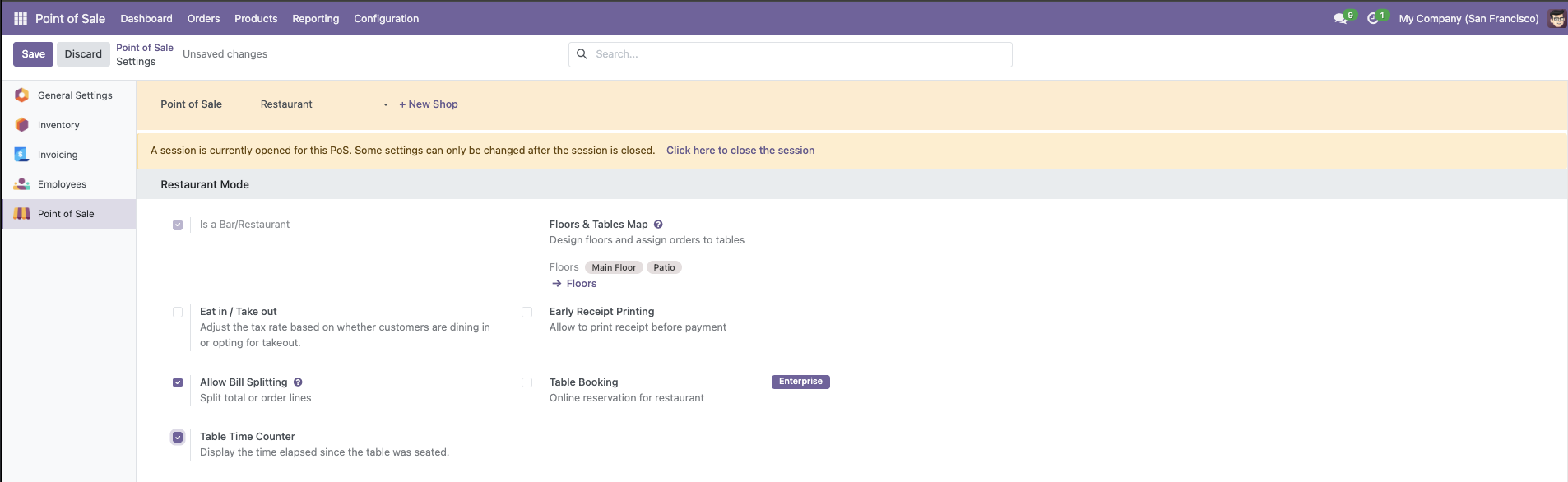
Table Timer in Action
¿Necesitas conectar hardware en tu Odoo POS?
Desarrollo de módulos a medida, conexión directa de balanzas comerciales, impresoras térmicas (IP/Bluetooth/USB), y flujos de automatización locales.
Gracias. Analizaré tu requerimiento y te responderé a la brevedad.
Hubo un error al enviar el formulario. Por favor, inténtalo de nuevo.