
web_debug_xml_inspector XML Inspector - Find XML Sources Instantly
Documentación Completa del Módulo
Save hours of development time! This module lets you click on any element in Odoo form views and instantly opens the exact XML line that defines it. No more manual searching through hundreds of XML files!
- Enable debug mode (
?debug=1) - Click the bug icon in the top-right corner
- Select "Inspect XML Mode" from the debug menu
- Click on any field, group, notebook tab, button, or separator
- The XML view opens automatically with the exact line highlighted!
Traditional Method: Manually search through files, find the right view, locate the line
With XML Inspector: Click → XML opens instantly at the exact line!
⚡ Save significant development time every day!
- Instant XML Location: Click any element → XML opens at the exact line
- Smart Detection: Works with fields, groups, notebooks, pages, buttons, separators
- Inherited Views Support: Automatically searches in inherited views
- Visual Feedback: Hover highlighting shows what you're inspecting
- Form View Only: Limited to form views to avoid interference
- Odoo Developers: Speed up customization and debugging
- New Team Members: Learn Odoo structure faster
- Consultants: Quickly understand client customizations
- Technical Teams: Reduce time spent on view modifications
Debug Mode Required: This module only works when debug mode is enabled (?debug=1).
It has zero performance impact in production.
Form Views Only: The inspector is limited to form views and the .o_form_sheet area
to avoid interfering with other parts of the interface.
Keyboard Shortcut: Press ESC to deactivate the inspector at any time.
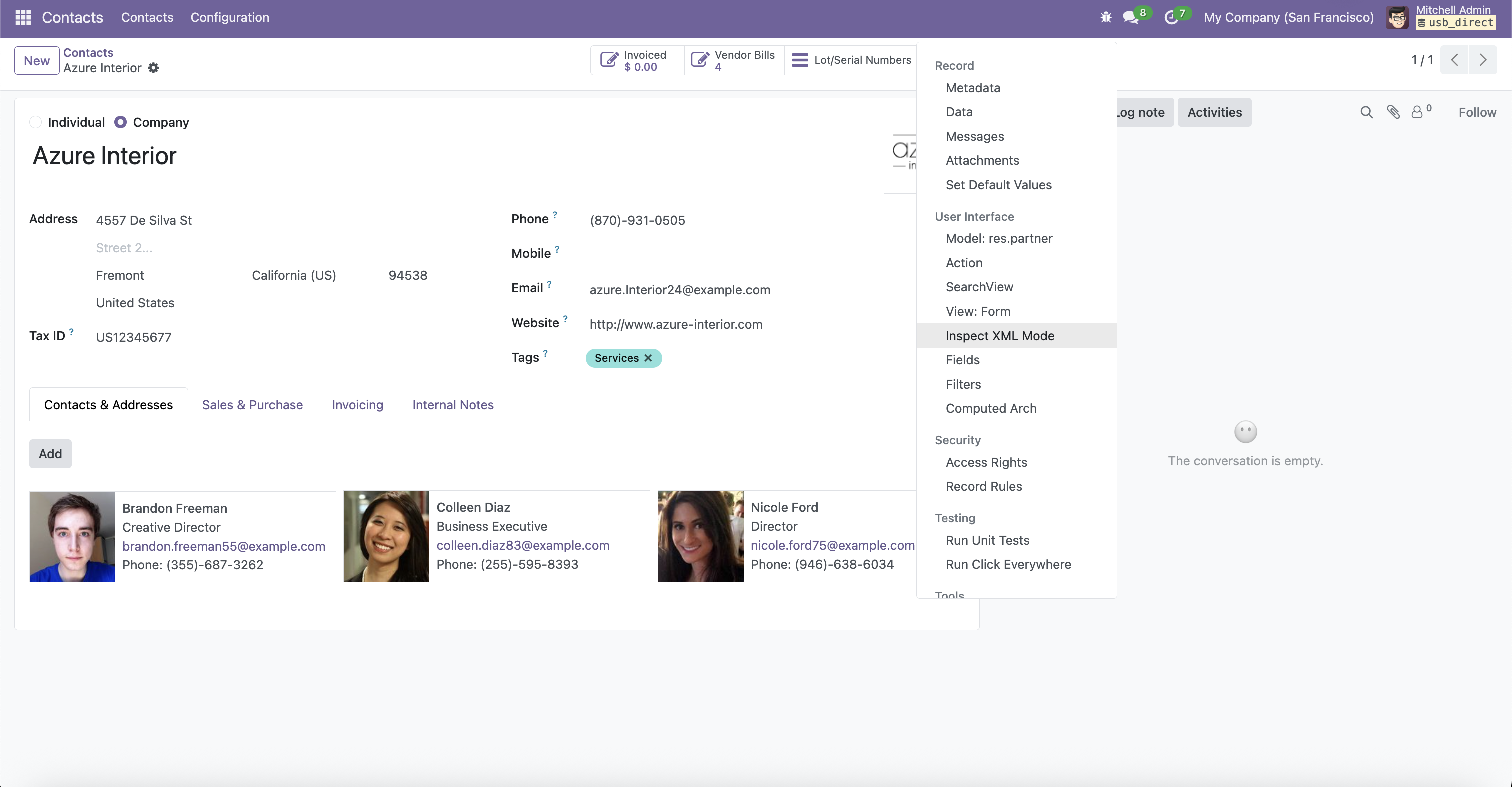
Activate XML Inspector from the debug menu

Hover over any element to see visual highlighting
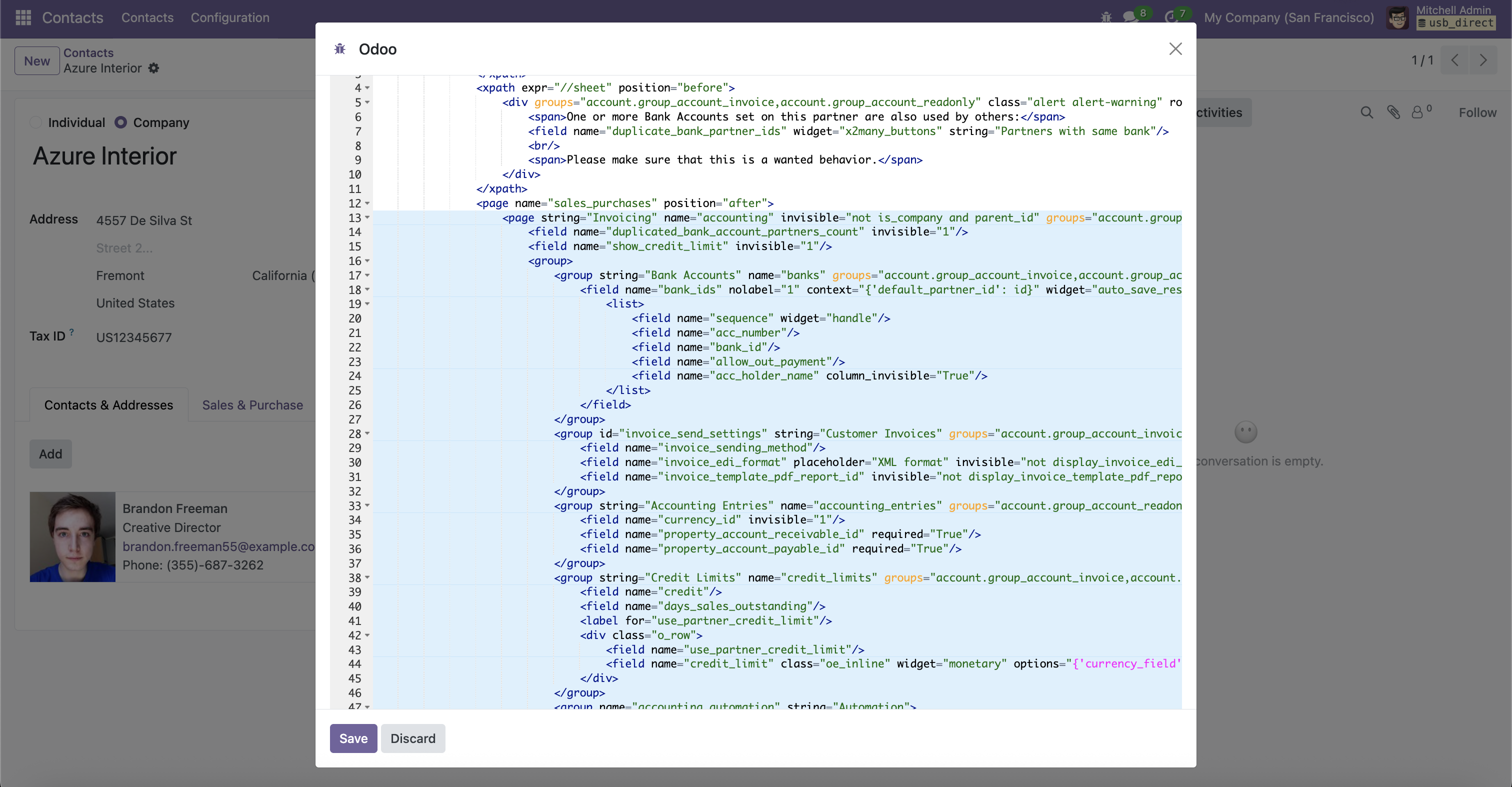
Click to open the XML view with exact line highlighted
¿Necesitas conectar hardware en tu Odoo POS?
Desarrollo de módulos a medida, conexión directa de balanzas comerciales, impresoras térmicas (IP/Bluetooth/USB), y flujos de automatización locales.