pos_customer_display_marketing POS Customer Display Ads & Marketing Banner Ticker
Documentation Complète du Module
Powerful Ad Management & Customization
Designed to maximize customer engagement during point of sale transactions.
Dynamic Image Ad Slideshow
Upload high-resolution promotional image slides that automatically cycle on the customer screen when idle or during order scanning.
Scrolling Ticker Marquee Bar
Display continuous scrolling text announcements at the bottom of the screen to broadcast special offers, store hours, or greetings.
Full Color & Speed Control
Customize ticker text color, background background, font sizing, and scrolling speed directly from POS Settings to match your brand palette.
Multi-Display & Tablet Ready
Seamlessly integrates with Odoo 18 POS Customer Display on dual screens, customer-facing tablets, and external HDMI monitors.
Configuration & Live Customer Display
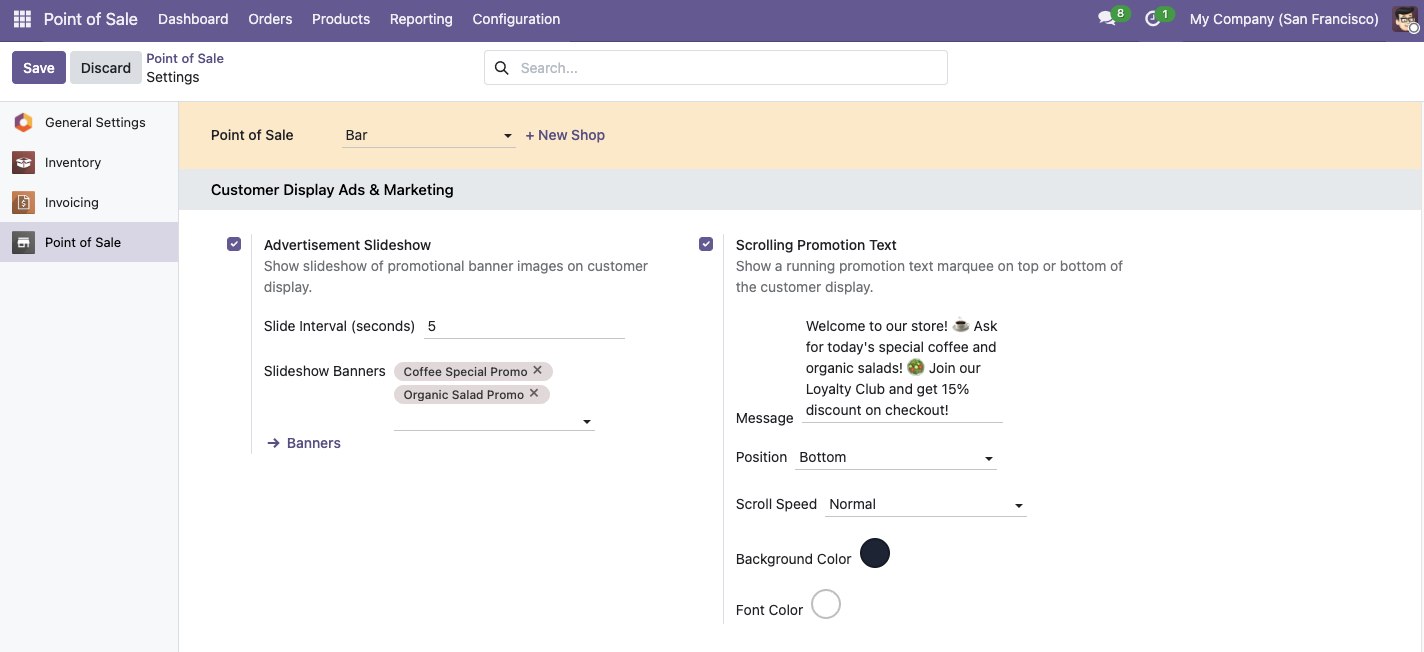
Configure ad banners and ticker messages in settings and render live on customer screens.
1. Configure Ad Slides & Ticker Settings in Point of Sale
2. Live Customer Screen with Promotional Slideshow & Scrolling Ticker
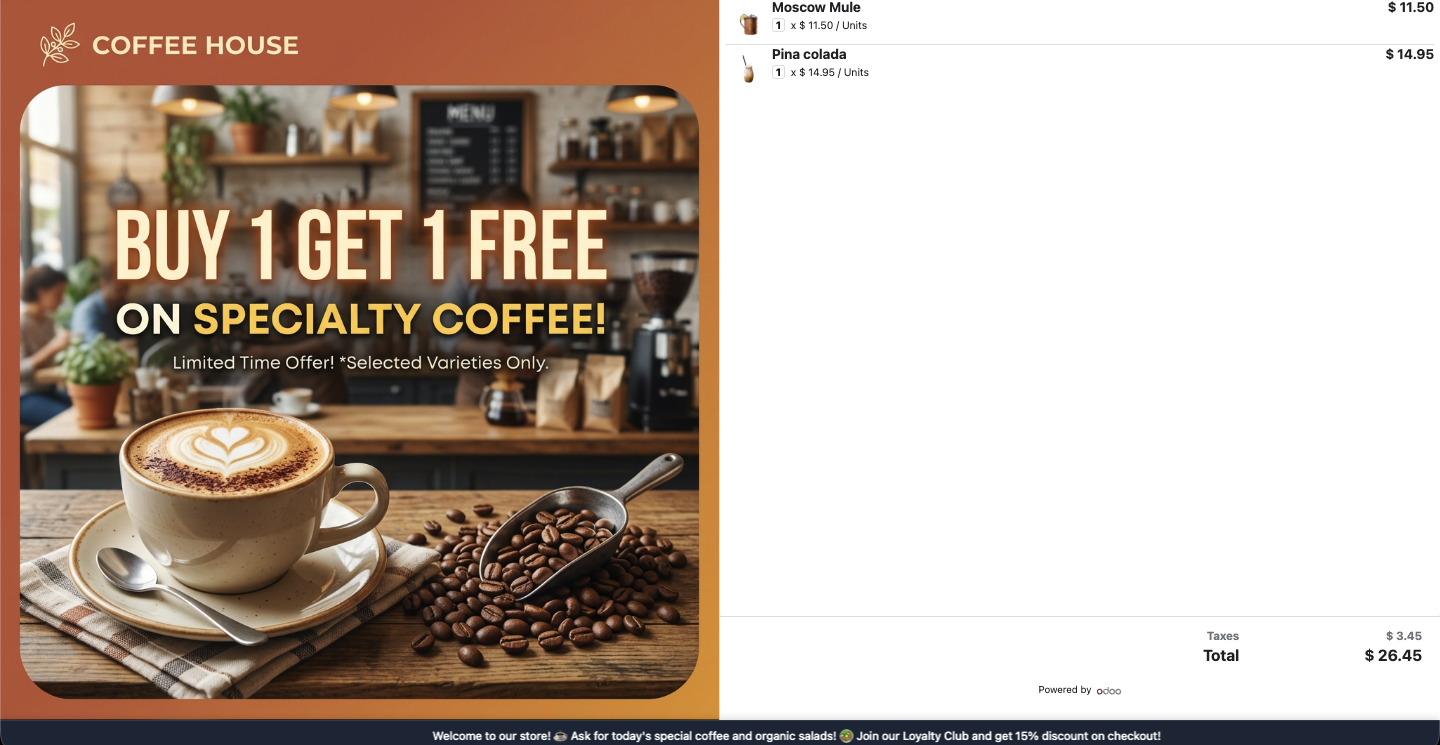
3. Full Screen Customer Display Advertisement Mode

Everything You Need to Know
What image size/resolution is recommended for promotional banners?
The module auto-adapts any image using intelligent blur background technology! For best visual quality, we recommend:
• Widescreen POS Monitors (16:9): 1920 × 1080 px or 1280 × 720 px.
• Tablets & iPads (4:3): 1024 × 768 px or 1280 × 800 px.
• Format & Weight: PNG / JPG under 1.5 MB per image.
Can I customize the speed and colors of the scrolling ticker text?
Yes! Under Point of Sale Settings, you can specify custom text colors, background gradient colors, and scroll speed duration for the marquee ticker.
Does this work on secondary monitors and customer-facing tablets?
Yes! The ads and ticker messages render seamlessly on any secondary display opened via Odoo POS Customer Display (dual-screen PC monitors, customer tablets, or iPads).
Is this compatible with Odoo Community and Enterprise?
Yes! POS Customer Display Ads & Marketing is 100% compatible with both Odoo Community Edition and Odoo Enterprise Edition for version 18.0.
Besoin d’intégrer du matériel à Odoo POS ?
Développement de modules sur mesure, connexion directe de balances commerciales, imprimantes thermiques (IP/Bluetooth/USB) et flux d’automatisation.