Retour à la Boutique d'Apps
Odoo Apps / Point of Sale
v17
v18
Point of Sale
Module:
pos_hide_product_info PoS Hide Product Info
Prix du module Gratuit
Documentation Complète du Module
POS Hide Product Info Button
Easily control the visibility of the Product Info ('i') button in Odoo POS
This module allows you to hide the Product Info ('i') button in the Odoo Point of Sale (POS) product screen for all users, based on POS configuration.
Ideal for businesses that want to simplify the POS interface or restrict access to detailed product information for staff.
Key Features
Hide Info Button
Easily hide or show the product info button in POS with a single setting.
Simple Configuration
Just enable or disable the option in POS settings. No technical knowledge required.
Clean Interface
Keep your POS interface clean and focused for your team.
How to Use
- Go to POS > Configuration > Point of Sale.
- Edit your POS configuration.
- Enable or disable 'Hide Product Info Button' as needed.
- Start a POS session: the info button will be hidden or visible accordingly.
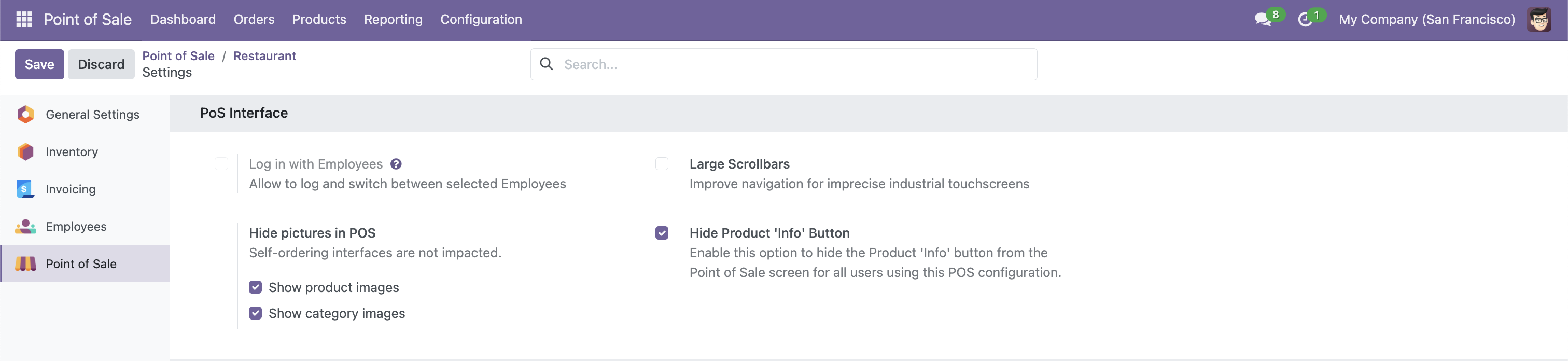
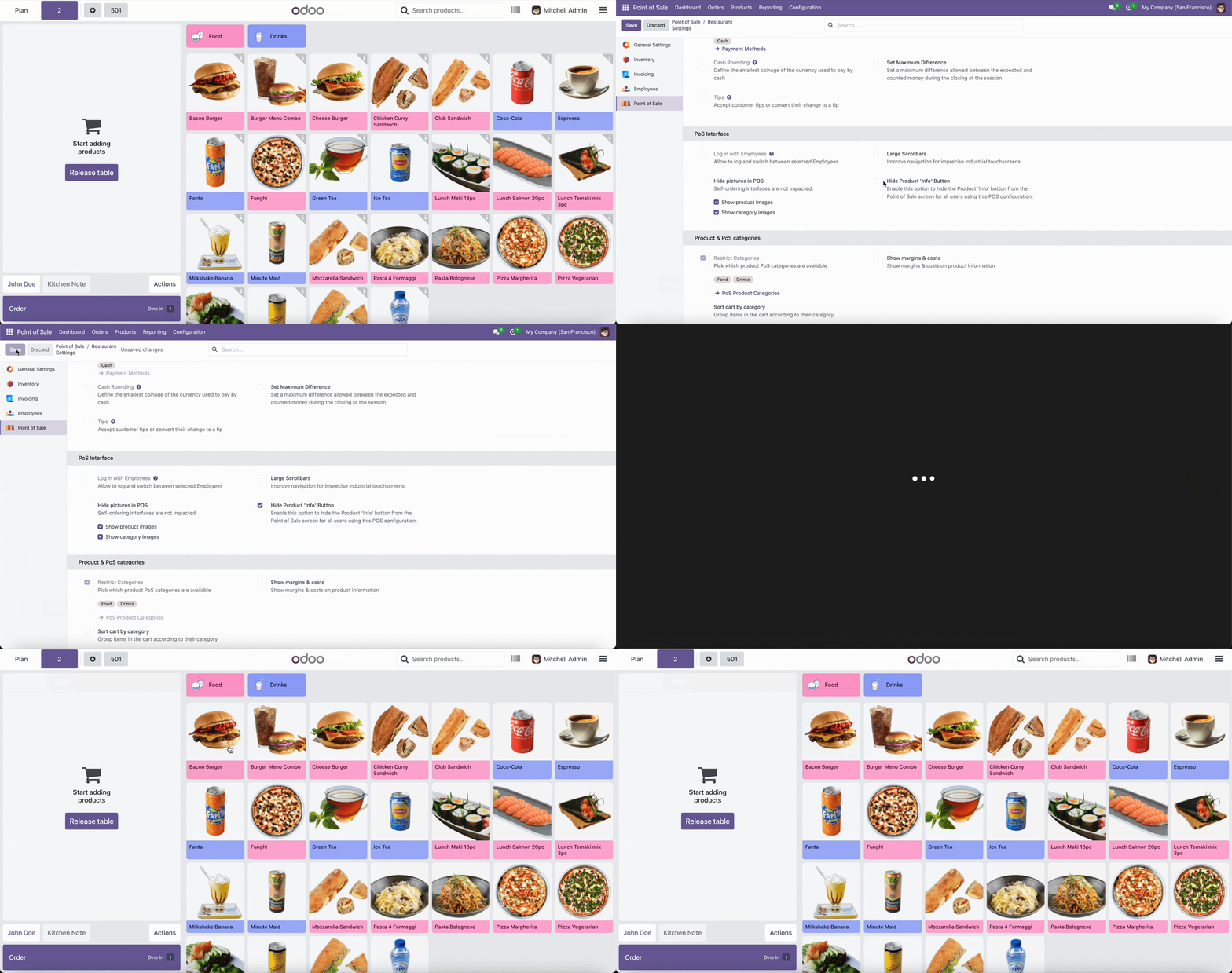
POS Configuration: Enable or disable the 'Hide Product Info Button' option in your POS settings.
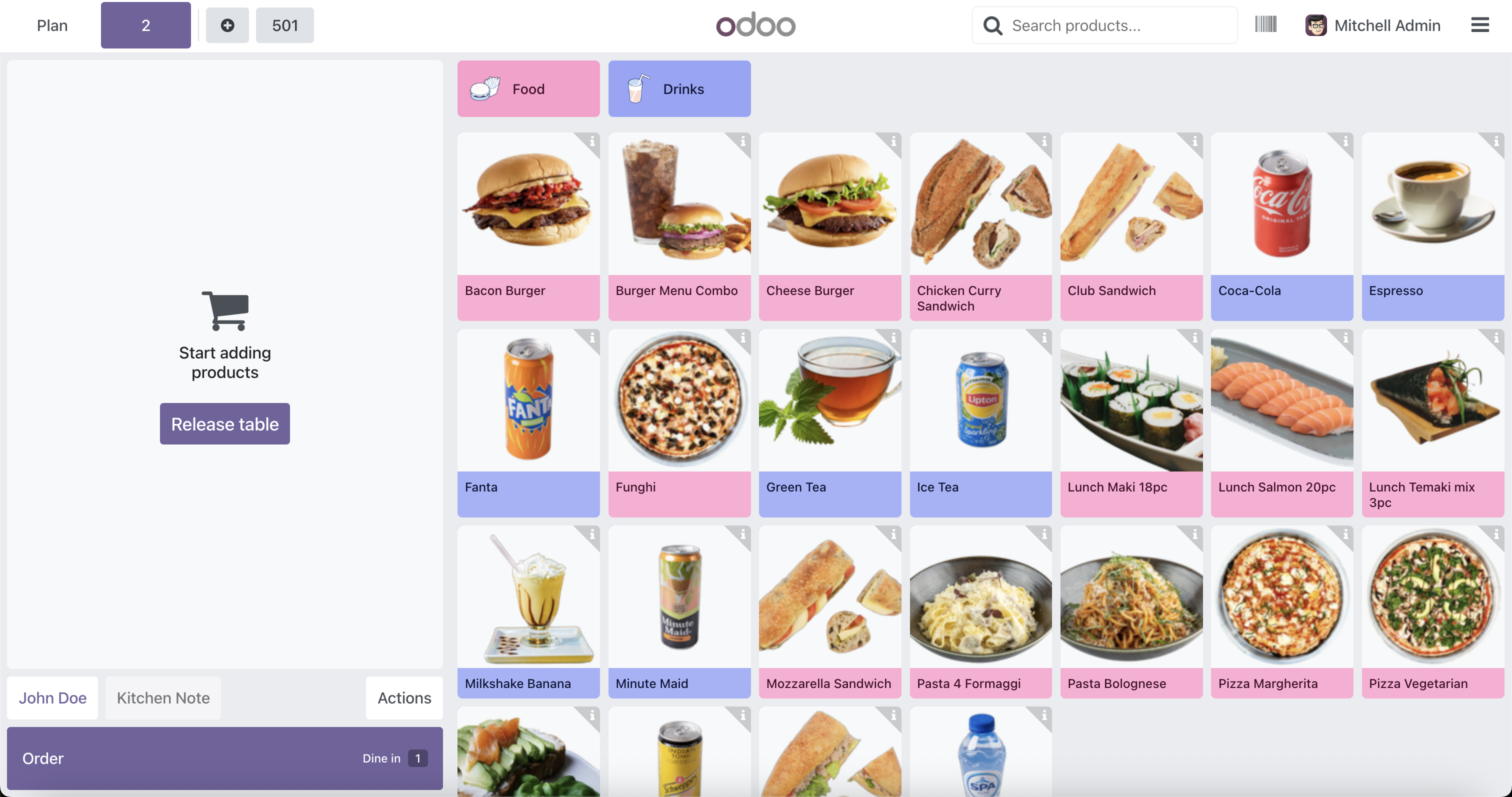
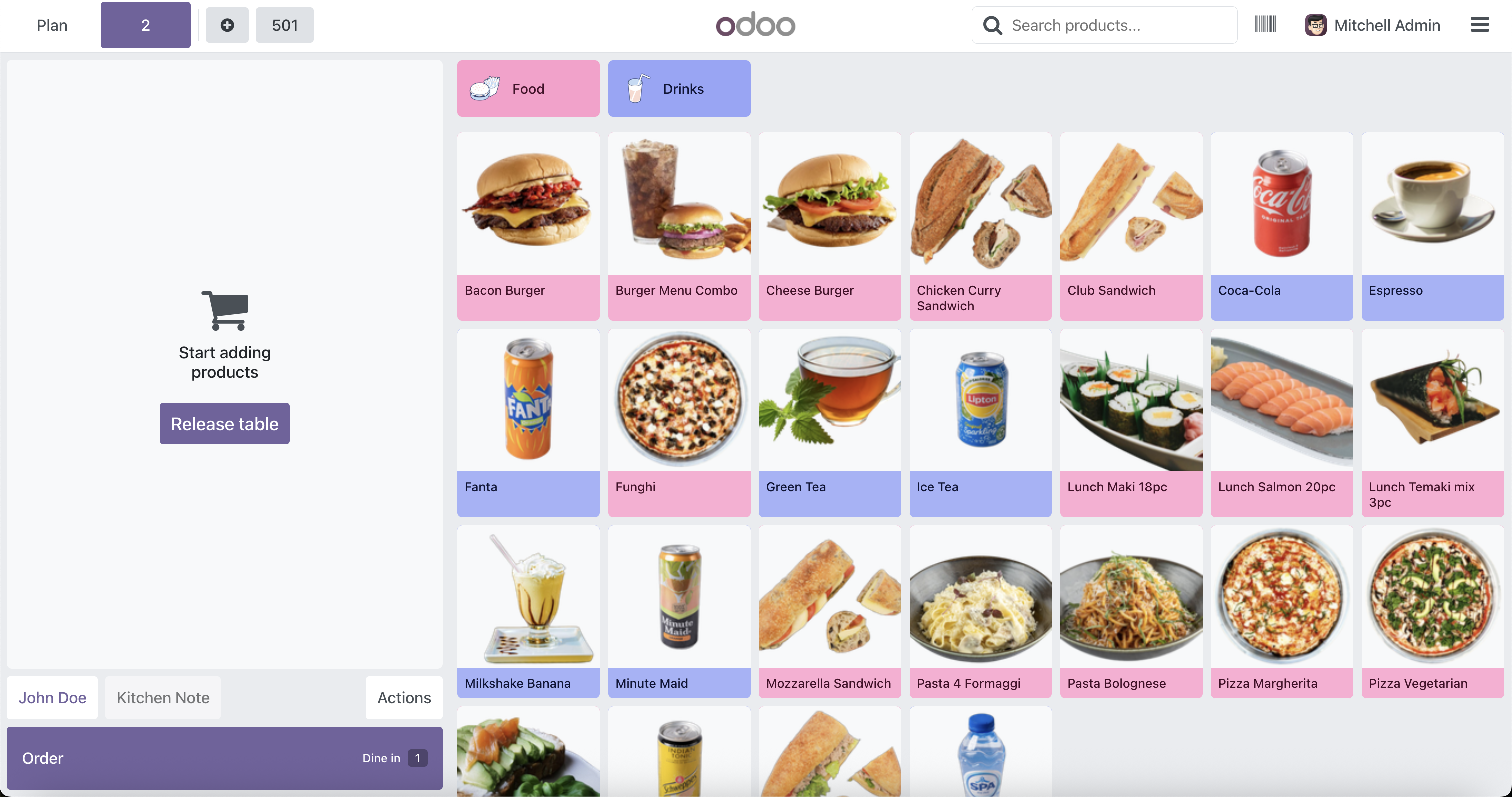
POS Product Screen: When enabled, the info ('i') button will be hidden for all users, resulting in a cleaner interface.
Business Benefits
- Reduce distractions and clutter in the POS interface.
- Prevent cashiers and staff from accessing detailed product info if not needed.
- Improve privacy and security of product information.
- Enhance user experience with a cleaner, simpler POS screen.
Besoin d’intégrer du matériel à Odoo POS ?
Développement de modules sur mesure, connexion directe de balances commerciales, imprimantes thermiques (IP/Bluetooth/USB) et flux d’automatisation.
Merci. J’analyserai vos besoins et vous répondrai rapidement.
Une erreur est survenue lors de l'envoi du formulaire. Veuillez réessayer.