
pos_order_customer_name POS Order Customer Name
Documentation Complète du Module
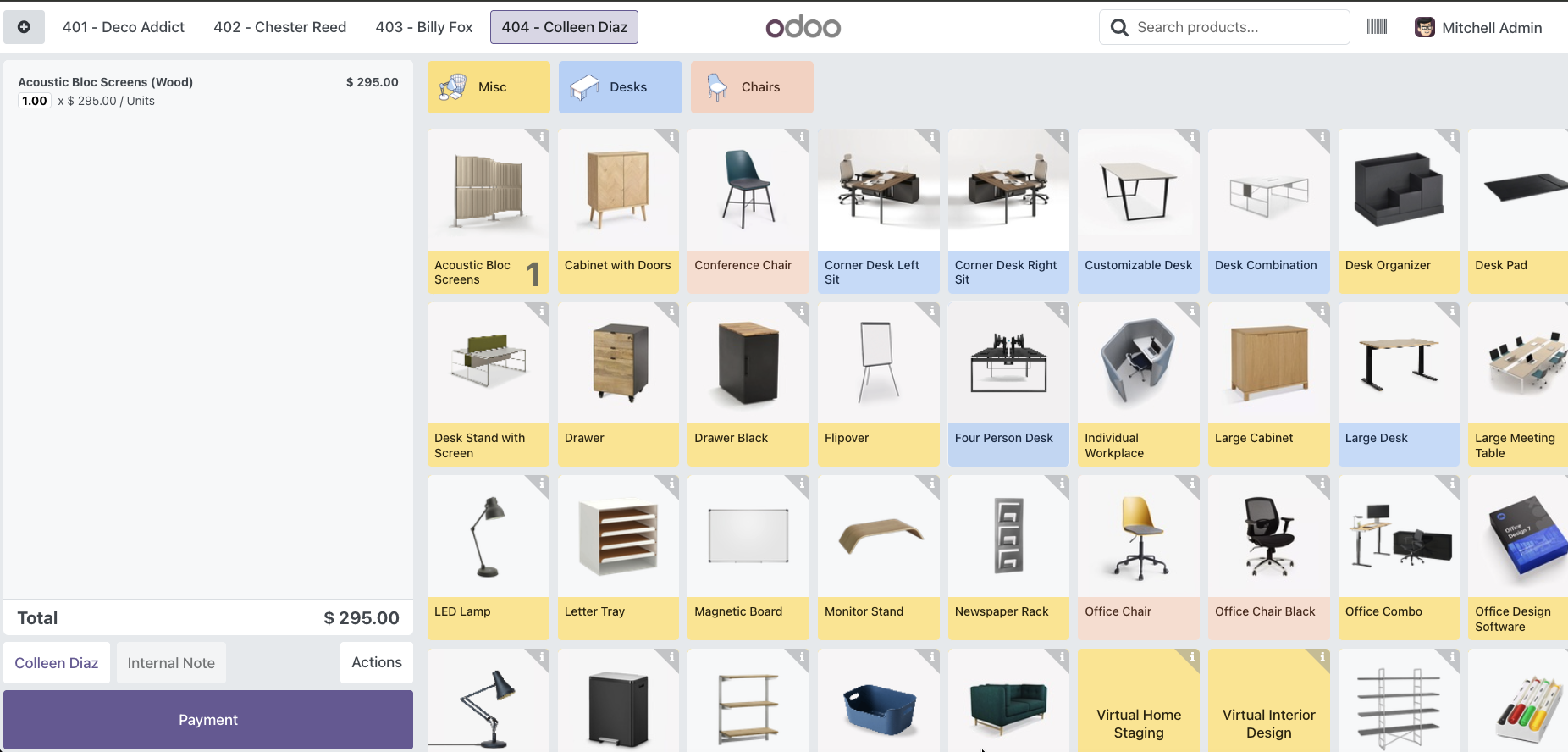
This module extends the Odoo 18 Point of Sale (POS) application to display customer names alongside order numbers in the order list. Instead of seeing just "401", "402", "403", you'll see "401 - John Doe", "402 - Jane Smith", making it easier to identify and manage orders at a glance.
Fully configurable per POS - enable or disable the feature based on your business needs.
- Customer Name Display: Shows customer name next to order number (e.g., "401 - John Doe")
- Configurable per POS: Enable or disable the feature for each Point of Sale independently
- Easy Order Identification: Quickly identify which customer each order belongs to without opening the order
- Seamless Integration: Works with existing POS workflows without any disruption
- Improved Efficiency: Reduce time spent searching for orders and improve customer service
How It Works
Before
Order list shows only numbers:
402
403
404
After
Order list shows numbers with customer names:
402 - Jane Smith
403 - Mike Johnson
404 - Sarah Williams
Installation & Configuration
Setup Guide
Step 1: Installation
- Go to Apps menu
- Click Update Apps List
- Search for "POS Order Customer Name"
- Click Install
Step 2: Configuration
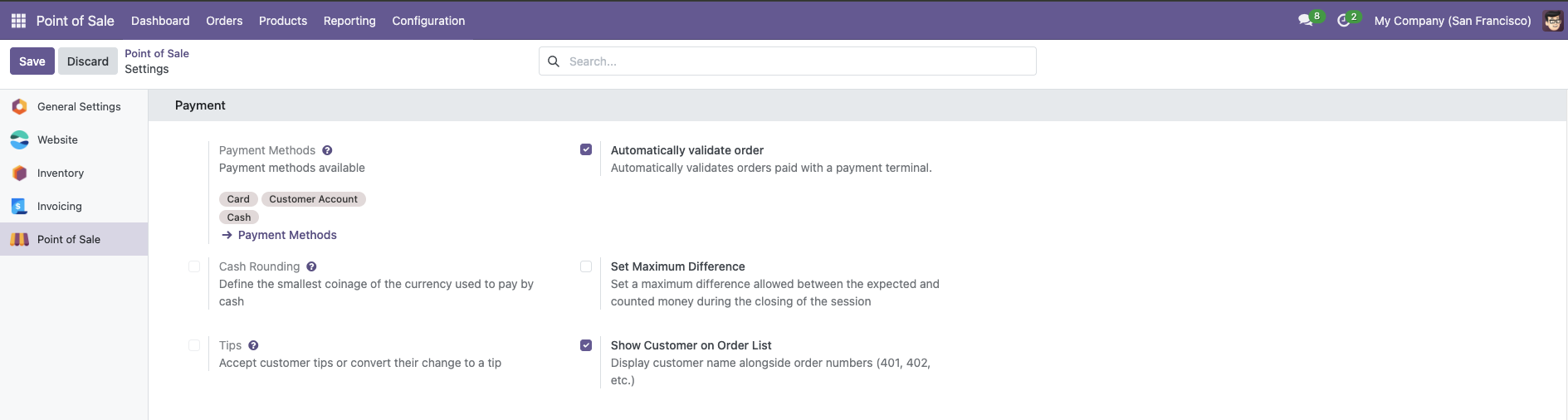
- Go to Point of Sale → Configuration → Settings
- Select your Point of Sale from the dropdown
- Scroll to the Payment section
- Enable "Show Customer on Order List"
- Click Save
Step 3: Usage
Open your POS session and start creating orders with customers. The order list will now automatically display customer names alongside order numbers!
- Faster Order Management: Instantly identify which customer each order belongs to
- Reduced Errors: Minimize mistakes when handling multiple orders
- Better Customer Service: Quickly locate and manage customer orders
- Flexible Configuration: Enable only for specific POS locations that need it
- Clean Interface: Simple and unobtrusive display that doesn't clutter your POS
Help and Support
Besoin d’intégrer du matériel à Odoo POS ?
Développement de modules sur mesure, connexion directe de balances commerciales, imprimantes thermiques (IP/Bluetooth/USB) et flux d’automatisation.