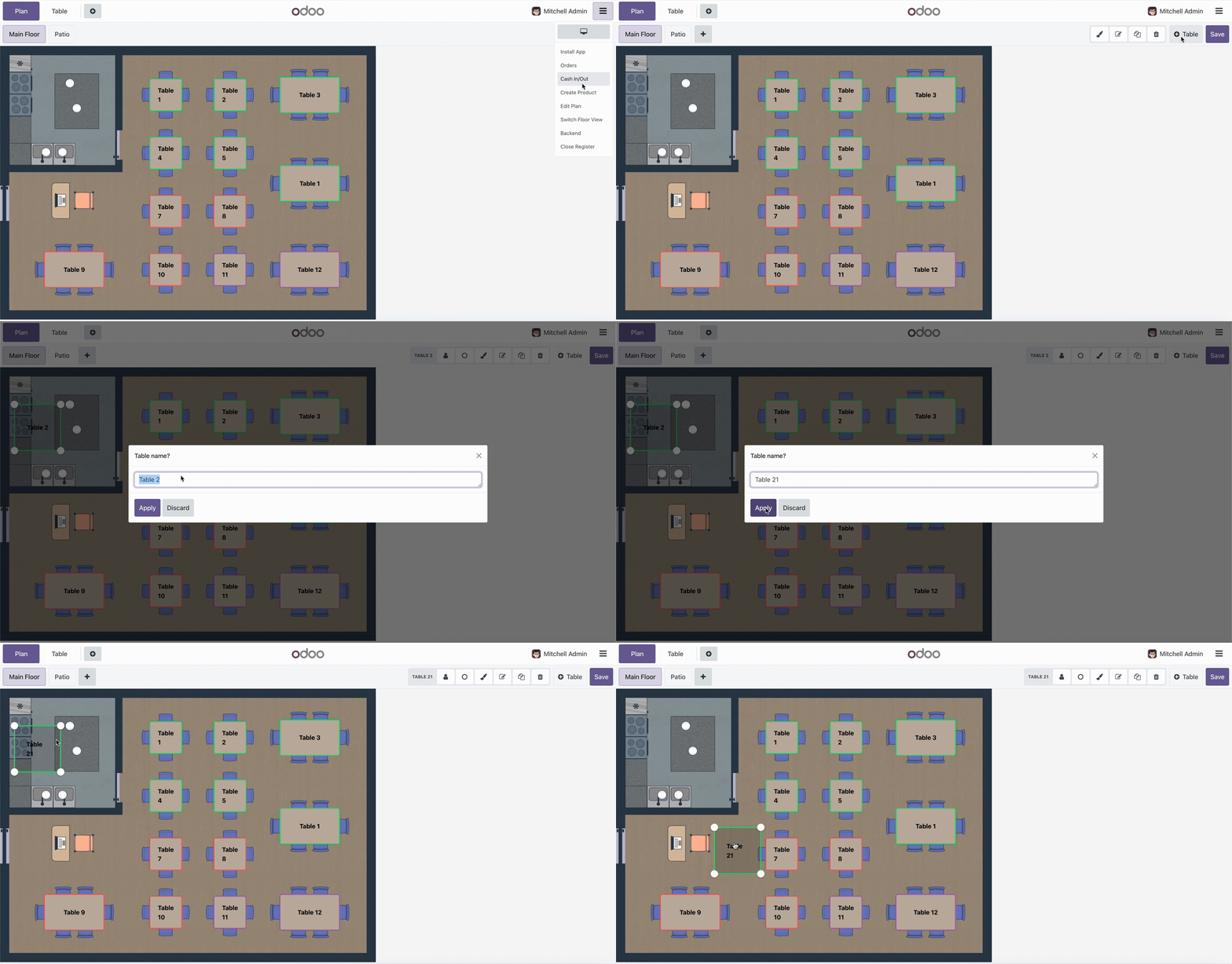
pos_restaurant_table_name POS Restaurant Table Name
Documentation Complète du Module
This module restores the classic functionality to use custom text names for restaurant tables. Instead of being limited to numeric values only, you can now use descriptive names like "VIP Table", "Window Seat", "Patio 1", etc., making table management more intuitive and professional.
- Custom Text Names: Use descriptive names like "VIP Table", "Window Seat", or "Patio 1" instead of just numbers.
- Automatic "Table X" Format: Tables without custom names automatically display as "Table 14" (translatable).
- Multi-language Support: Built-in translations for English, Spanish, and Spanish Mexico.
- Easy Renaming: Rename tables directly from the floor plan editor with a simple text input dialog.
- Backward Compatible: Maintains compatibility with numeric table numbers while adding text name functionality.
- Backend Integration: Table names appear correctly in orders, reports, and all backend views.
Installing and using the POS Restaurant Table Name module is straightforward:
- Install the module from Apps menu
- Go to Point of Sale → Configuration → Restaurant Floors & Tables
- Open the POS and enter Edit Mode (click the edit/pencil button)
- Click on any table to rename it with custom text
- Enter a descriptive name like "VIP Table" or "Window Seat"
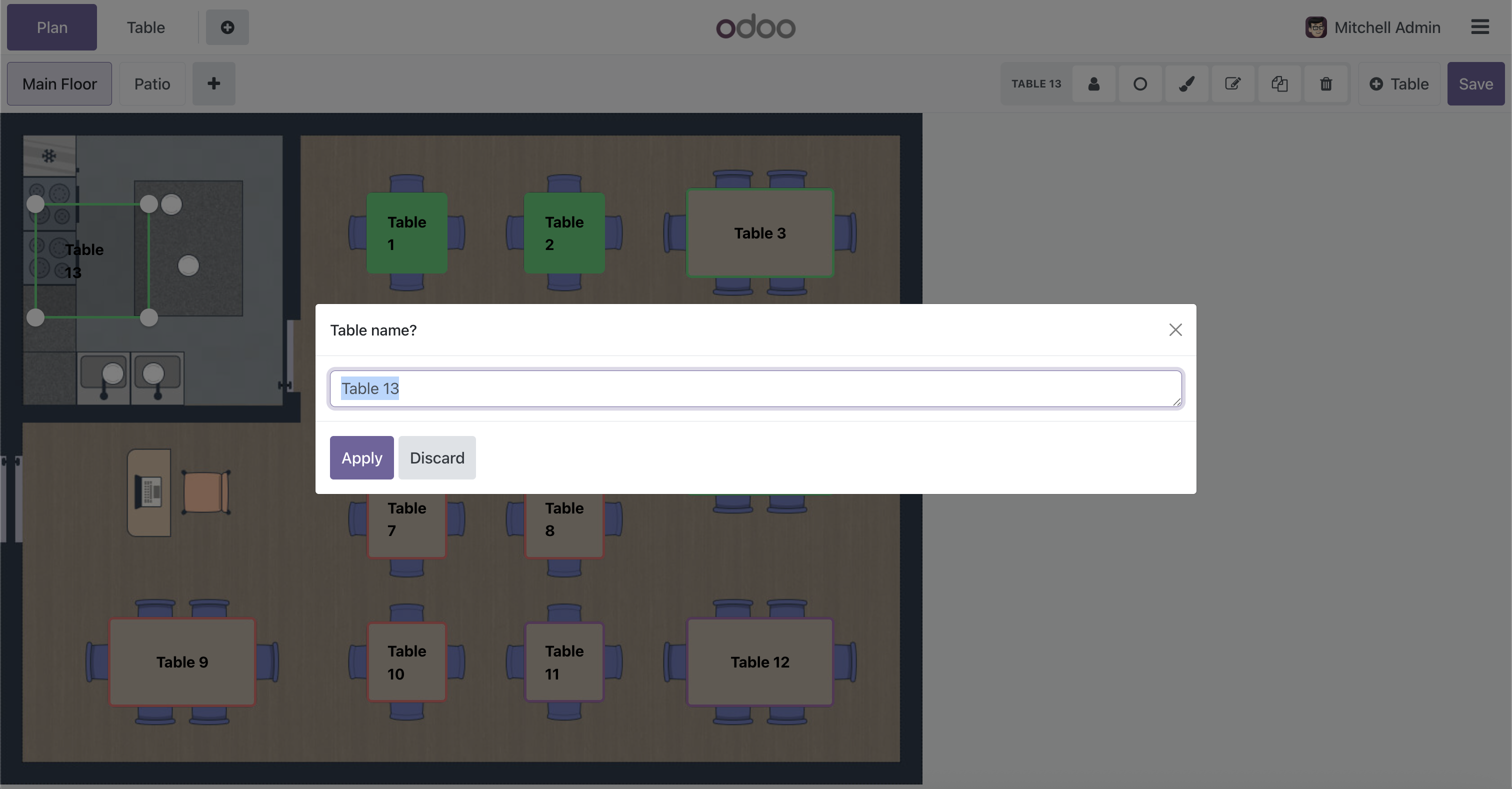
Creating New Tables: When you create a new table, a dialog will prompt you to enter a custom name. You can use any text you want.
Renaming Existing Tables: Select a table in edit mode and click the rename button. A text input dialog will appear where you can type the new name.
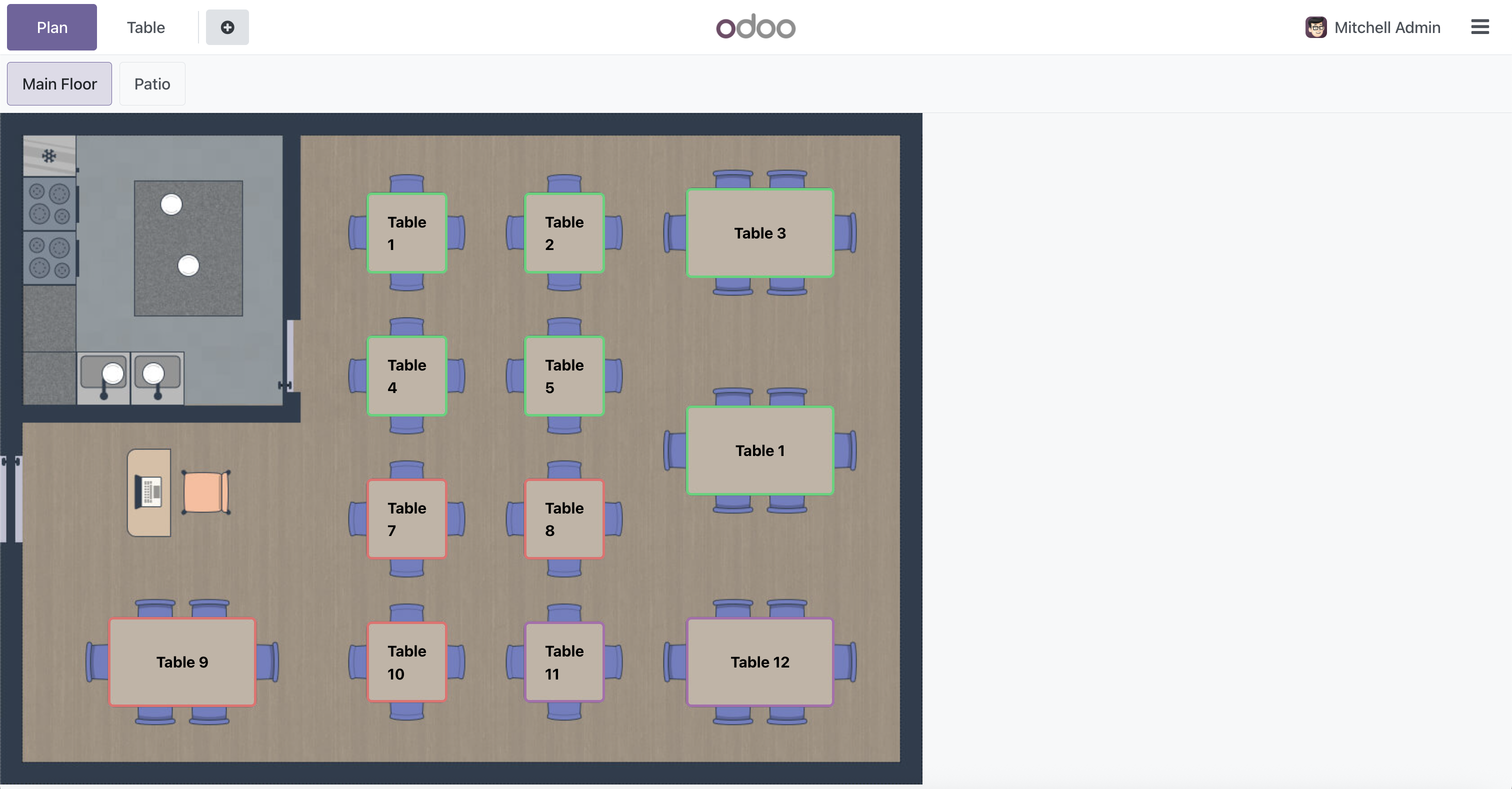
Display Format: Tables show their custom name. If no custom name is set, they display as "Table X" (or "Mesa X" in Spanish).
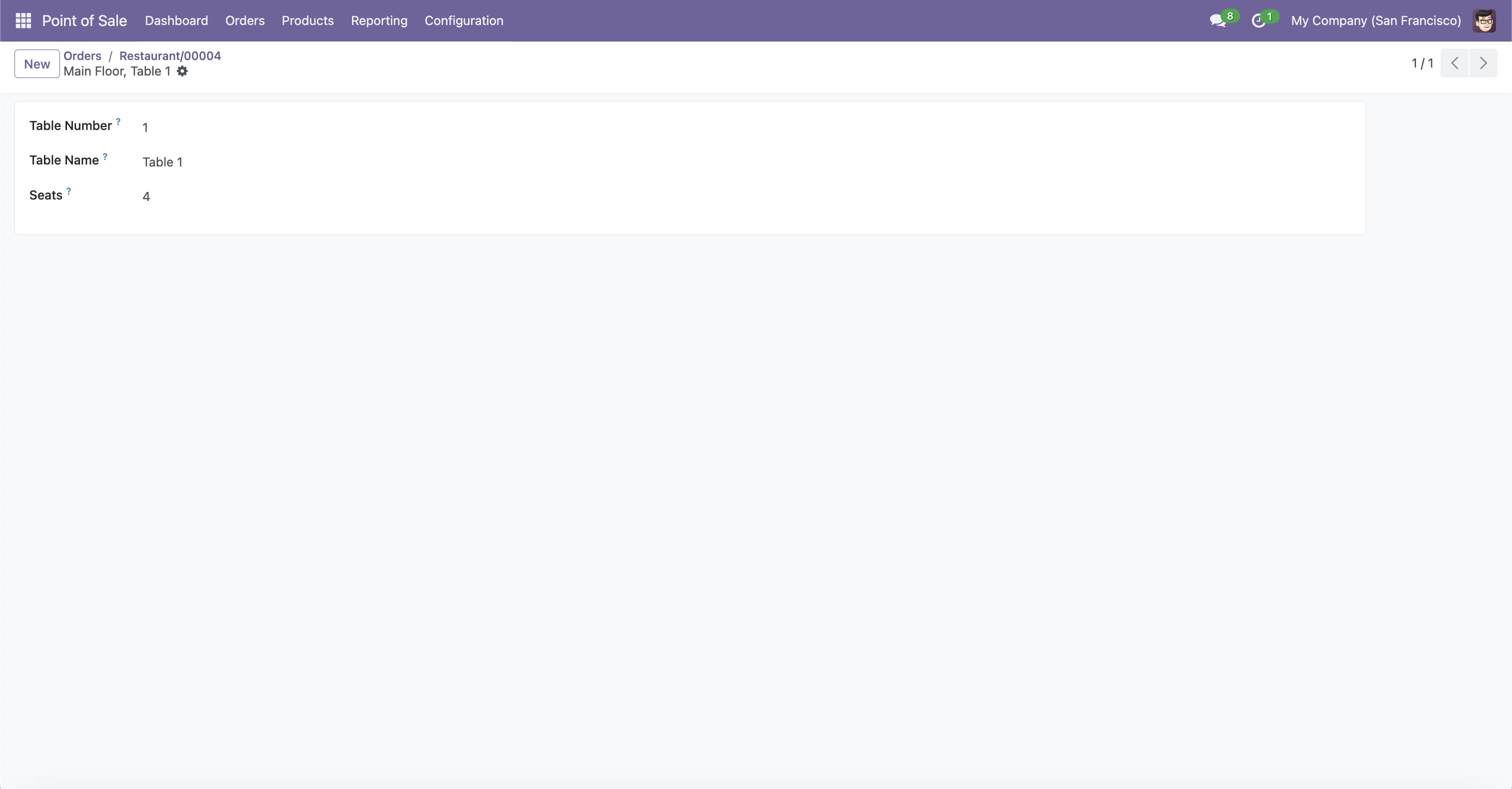
Backend Configuration
Configure table names from the Restaurant Tables view
POS Floor View
Tables display with custom names on the floor plan
Rename Table Dialog
Easy text input for custom table names
Besoin d’intégrer du matériel à Odoo POS ?
Développement de modules sur mesure, connexion directe de balances commerciales, imprimantes thermiques (IP/Bluetooth/USB) et flux d’automatisation.